

Studio’s Webhooks section has three pages: Endpoints (events sent to your URLs), Deliveries (every attempt, with retries) and Inbound hooks (URLs other services call).
When to use an outbound webhook
- Keep another system in sync: a CRM, a data warehouse, a search index.
- Notify a partner when an order changes.
- Post to a chat tool when something important happens.
- Trigger your own backend without polling.
Create an endpoint
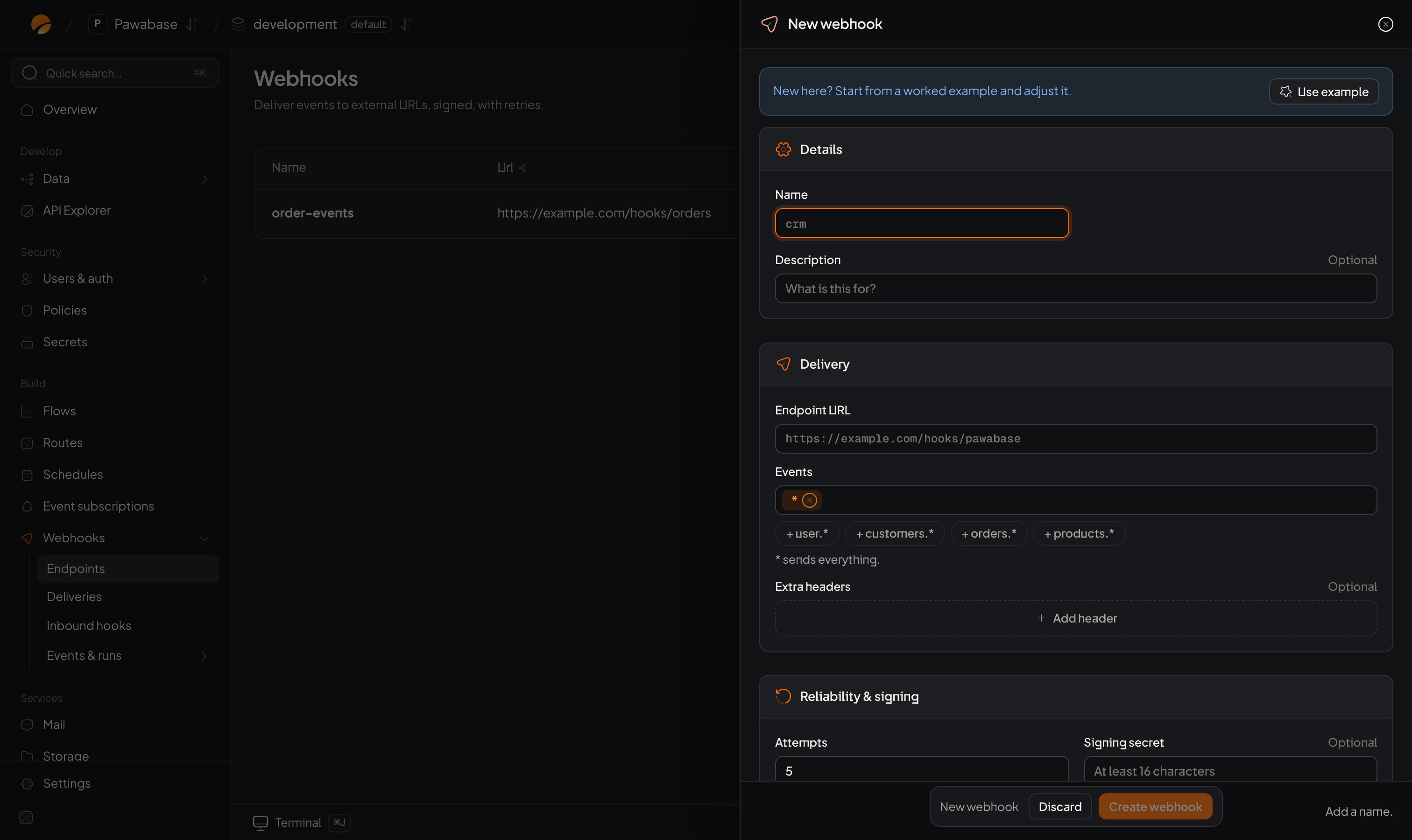
Webhooks → Endpoints → New webhook.
When Pawabase generates the signing secret, it’s shown once after saving. Copy it into your receiver’s configuration. Editing the endpoint later keeps the existing secret unless you enter a new one.
What your endpoint receives
APOST with a JSON body:
Answer quickly
Reply with any 2xx status within 15 seconds. Anything else (a 4xx, a 5xx, a timeout, a connection error) is a failed attempt and is retried on a schedule from about 10 seconds up to a day apart. See Retries. If your receiver has slow work to do, store the event, answer200 at once, and process it in the background.
Test an endpoint
Choose Send test on the endpoint. It sends one event namedpawabase.test, with the payload {"message": "Test delivery from Pawabase Studio"}, once, without retries, so you see at once whether your receiver answers and accepts the signature. The result appears in Deliveries.
To test with real data, emit an event that matches the endpoint from Activity → Events → Send test event.
A minimal receiver
Send from a flow
To send an event only to webhooks, without emitting it to subscriptions, add the Send webhook block to a flow with an event name and payload. It delivers to every enabled endpoint subscribed to that name, and outputs{ "deliveries": <how many were queued> }. Each use gets its own event id. To send to webhooks and everything else listening, use Emit event instead.
Manage endpoints from code
Endpoints are definitions, so promote copies them between environments and infrastructure as code can define them.
Rotate a signing secret
- Edit the endpoint and enter a new Signing secret (or clear it to have one generated).
- Update your receiver. During the switch, have the receiver accept either the old or new secret.
- Once deliveries pass with the new one, remove the old secret from the receiver.
Security
- Always verify the signature and reject requests older than five minutes.
- Use https endpoints.
- Don’t trust
datablindly: if an action matters, load the current record from your API using the id in the event. - Send only what the receiver should see. Events carry whole records (minus write-only fields); if a partner shouldn’t get all of a record, send a smaller event from a flow with Send webhook.
Limits
Each plan includes a number of outbound webhooks (endpoints): 5 on Free up to 2,000 on Scale. See Plans and limits.Deliveries
Retries, history and redelivery.
Verify signatures
Check each request came from Pawabase.
Inbound hooks
Receive from other services.
Event catalogue
What you can send.