

orders.created, user.signed_in, invoice.overdue. Something emits it; anything subscribed reacts. The emitter never waits for the reactions and never needs to know who is listening, so you can add a reaction without touching the code or flow that caused it.
Events are the backbone of automation in Pawabase: they start flows, drive outbound webhooks, and can be pushed to realtime channels.
What emits events
You get most events without writing anything.
The full list, with each event’s payload, is in the event catalogue.
The event envelope
Every event, whatever emitted it, has the same fields:Table events
A table’s events carry the record:recordis the record after the change forcreatedandupdated, and the record as it was fordeleted.- Fields that are write only (and vector fields) are left out.
- Events are emitted for writes made through the API (your app, flows, Studio’s table editor). Writes made directly in the database with the SQL editor don’t emit events, unless the table’s Capture changes made outside the API setting is on.
- An update event doesn’t include the previous values. If a reaction needs to know what changed, store what it needs (for example a
previous_statusfield) or compare in the flow.
Subscribe: run something when an event happens
An event subscription connects an event to a reaction. Open Event subscriptions → New event subscription.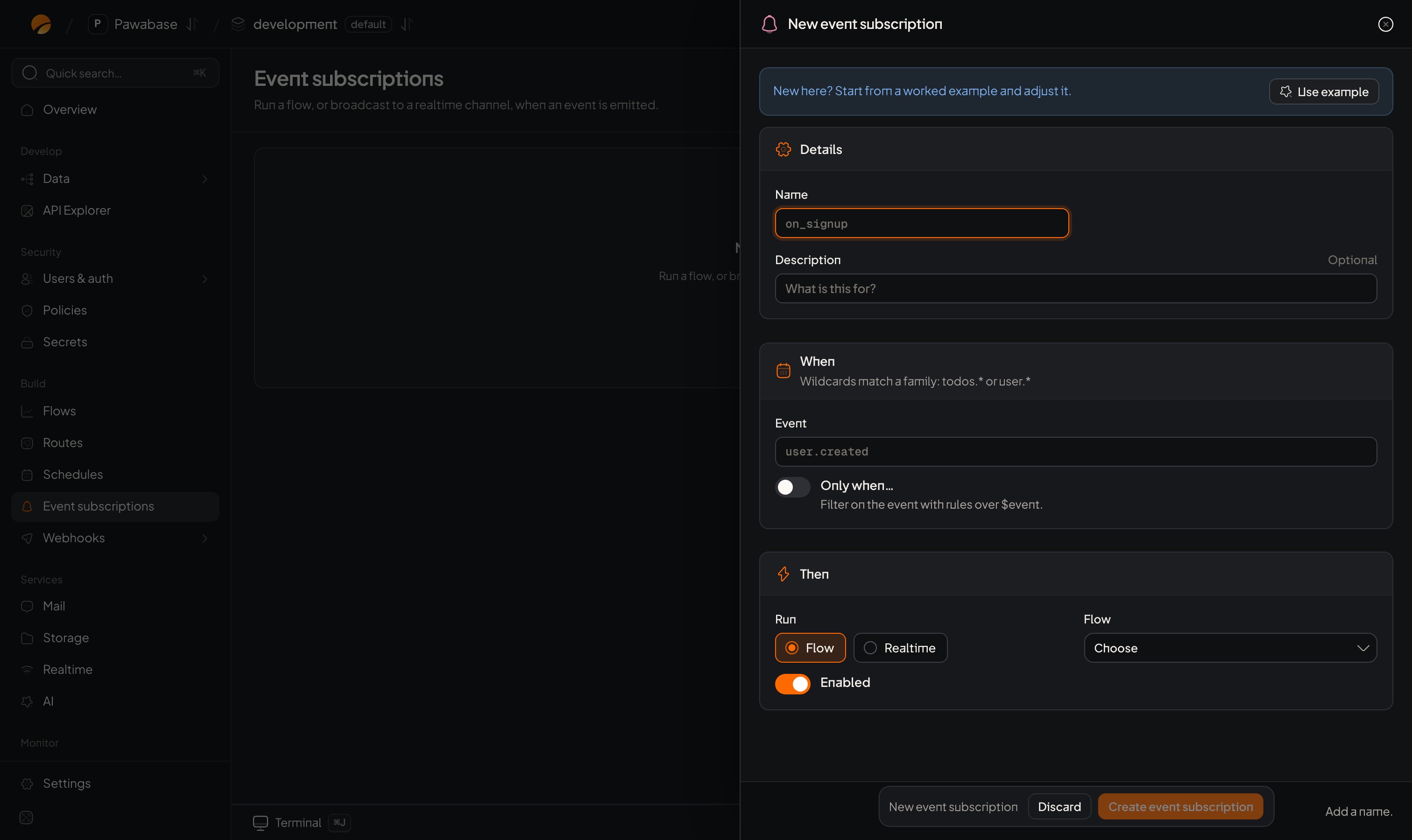
New event subscription: a name, the event, an optional condition, and what runs.
Save, and it applies to events from now on. Past events aren’t replayed to a new subscription.
When the reaction is a flow
The flow is started as a background job, and receives the whole event as its input:{{ input.event.payload.record.status }}, {{ input.event.actor }} and {{ input.event.id }}. The run is a system run: it isn’t signed in as the person who caused the event. Use input.event.actor if you need to know who that was.
When the reaction is a realtime channel
The event is published to a realtime channel, with the event’s name as the message type and its payload as the message. Leave the channel empty to useevents:<event name>. The channel can use values from the event, for example orders:{{ event.payload.record.customer_id }}, so each customer hears only about their own orders.
People still need permission to subscribe to that channel: see Channel rules.
Conditions
Only when… filters events before anything runs. It’s an access rule evaluated over the event, which you read as$event:
In JSON:
Triggers inside a flow
A flow can also own its own reactions, without a subscription, by adding trigger blocks:
They receive the same
{ "event": … } input. Use a subscription when you want to see and switch reactions in one list; use a trigger when the flow and its trigger belong together. See Triggers.
Wildcards
In a subscription’s Event, a webhook’s Events and an Event trigger,* stands for any run of characters, including dots.
Matching is case-sensitive, and there is no wildcard for exactly one segment.
Emit your own events
Your own event names describe your business:order.paid, invoice.overdue, trial.ending.
From a flow: add the Emit event block with a name and a payload. It continues straight away.
From Studio: in Activity → Events, Send test event emits one, which is the easiest way to try a subscription.
From your server: use the management API with a secret key:
Naming events
- Use
noun.verb, lowercase, past tense:invoice.overdue,order.shipped. - Don’t reuse a table’s name for a business event:
orders.updatedis the table’s;order.paidis yours. - Put ids and a little context in the payload, not whole records. A reaction can load the current record by id, and it will then see the latest data.
How events are delivered
- At least once. Every reaction will run, but in rare cases (a restart part-way through) one may run twice. Make reactions safe to repeat: skip an event
idyou’ve already handled, or use unique keys. - Each reaction once per event. If routing an event is interrupted and resumed, reactions that already started aren’t started again, and webhooks never deliver the same event to the same endpoint twice.
- Independent. Each reaction runs separately. A slow or failing one doesn’t delay the emitter or the others.
- Not in order. Reactions run in the background and may finish in any order. Don’t rely on
orders.createdbeing handled beforeorders.updated; load the current record instead. - Per environment. Events in
productionnever reachdevelopment. - From now on. A new subscription doesn’t see past events.
Inspect what happened
Activity → Events lists recent events, filterable by name (orders.created). Open one to see:
- its full envelope, and
- every consumer it reached: each flow, realtime channel and webhook, and how each went.
Limits
Event subscriptions and the flow runs they start count towards your plan’s flow runs per month. See Plans and limits.Troubleshooting
Event catalogue
Every built-in event and its payload.
Webhooks
Send events to other systems.