

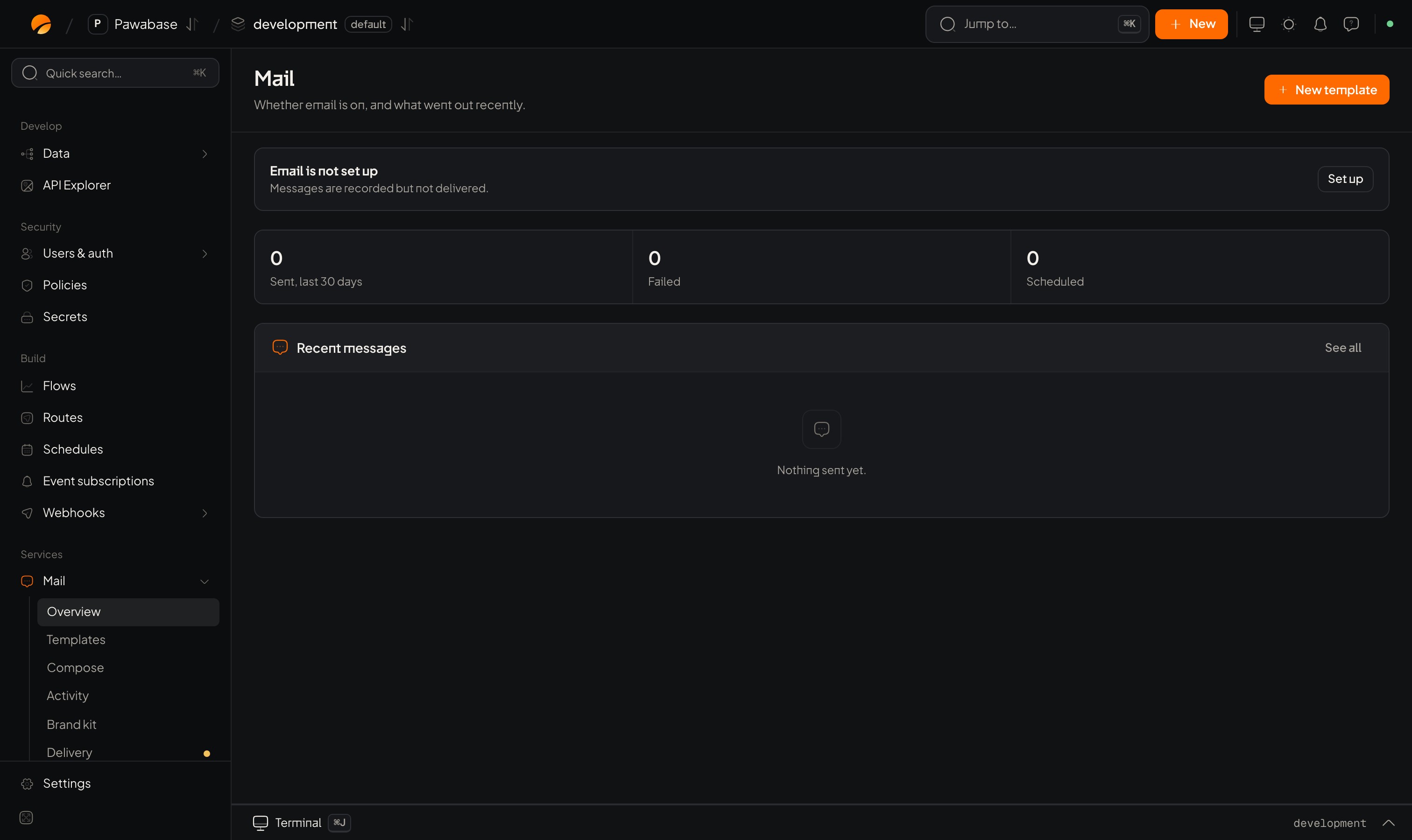
Mail → Overview: what went out recently, failures, and whether delivery is set up.
What you get
How a message travels
- Something asks for an email: a flow’s Send email block, someone using Compose, your server, or the sign-in system (a verification code, a reset link).
- If it names a template, the template’s published version is filled in with the values you passed, plus your app’s details from Settings.
- If it has a send time in the future, it’s stored as scheduled and sent then, exactly as it was rendered when you scheduled it.
- Otherwise it’s handed to the default provider of the environment.
- The outcome is logged: sent (the provider accepted it), failed (it didn’t), or suppressed (deliberately not sent, for example while delivery is paused).
The pages in Studio
Open Mail in the sidebar.
A dot next to Delivery means it still needs setting up. Until a provider is connected, Studio shows Delivery is not set up: mail is recorded, not delivered.
Get set up
1
Connect your provider
Mail → Delivery → Add provider. Pick a preset (Resend, SendGrid, Mailgun, Postmark, Amazon SES, Gmail) or a custom SMTP server, paste the credentials and Test connection. See Delivery.
2
Add a sender address
Add the addresses mail comes from, such as
orders@yourdomain.com, and choose the default.3
Fill in your app details
Settings → App details: app name, support email, postal address, website. Templates read them as
{{ app.name }} and replies go to the support email.4
Set your brand
Mail → Brand kit: logo and colours. See Brand kit.
5
Make and publish a template
Mail → Templates → New template. See Templates.
6
Send it
Add a Send email block to a flow, or send from your server. See Sending email.
7
Check delivery
Mail → Activity should show it as sent. Then check the inbox, and the spam folder.
Emails Pawabase sends for you
The sign-in system sends its own emails through the same delivery and brand: verification links and codes, sign-in links, password resets, invitations, and security notices. Choose their wording in Email templates. If delivery isn’t set up, those emails are recorded but not delivered, so people can’t verify or reset passwords. Set up delivery before you launch.Limits
Your provider has its own limits (sending rate, daily volume, attachment size). Those apply too.
Where to go next
Delivery
Connect a provider and set senders.
Templates
Design and publish emails.
Template language
Values, conditions, loops and filters.
Sending email
Flows, Compose, HTTP and scheduling.
Deliverability
Stay out of spam.
Troubleshooting
When mail doesn’t arrive.