

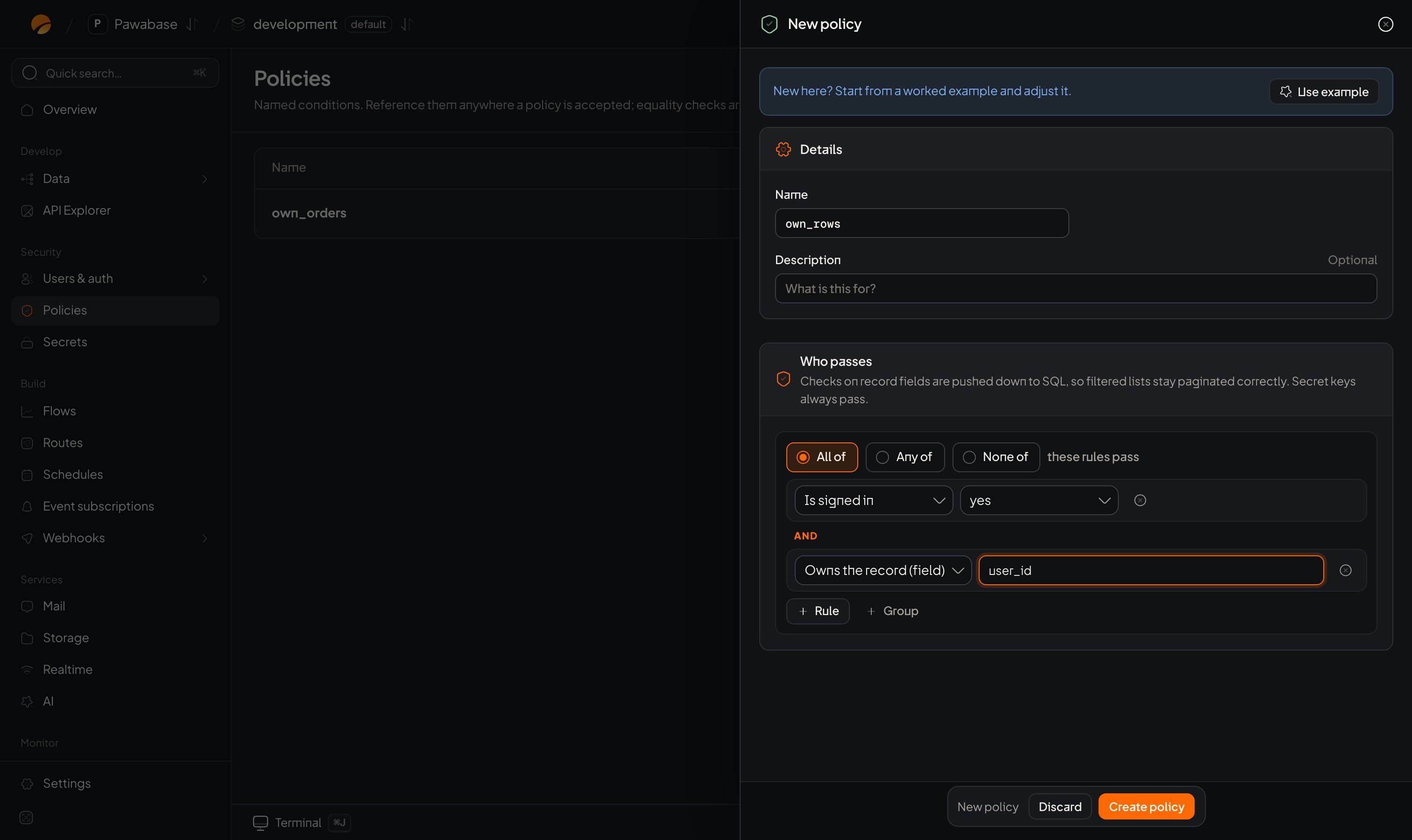
An All of group: both rows must pass, so Studio shows AND between them.
Examples
Build each by clicking + Rule and + Group:- Signed in and the owner. All of: Is signed in; Owns the record (
owner_id). - The owner or an admin. Any of: Owns the record (
owner_id); Has roleadmin. - Anyone except blocked people. None of:
$record.blocked_idscontains$auth.user_id. - An owner or an admin, but only while not locked. All of: (Any of: Owns the record; Has role
admin);$record.lockeddoes not equaltrue.
Empty groups
An empty All of passes; an empty Any of fails. The builder says so: No rules: everyone passes / No rules: nobody passes. Be careful removing the last rule from a group.Lists versus All of
Where Studio shows the rule picker, choosing List and adding rules means all of them must pass, the same as All of. The difference is that a list holds picker choices (Signed-in users, Signed in with 2FA, a named rule), whereas All of / Any of inside a custom condition holds checks (Has role, Compare values…).
For “any of” at the top level, use a Custom condition with Any of.
Order and cost
Order doesn’t change the result, but cheap, decisive checks first (Is signed in, a role) make rules easier to read. For lists on large tables keep the row check a plain equality so it becomes a database filter (How rules are evaluated).Keeping rules readable
- Save big rules under a name (Named rules) instead of nesting four deep.
- One idea per group: “who” in one Any of, “what state” in another, joined by an All of.
- Prefer a different rule per action over one rule that tries to cover everything.
- Use the policy’s Description to say what it’s for; the builder has no comments.
When you need “unless”
“Everyone except staff on weekends” is awkward with None of. Say the positive case instead: Any of (not staff; not a weekend). Test any rule with None of carefully: a missing value inside it flips in ways that surprise (Values and paths).Shortcuts
The ready-made checks.
Recipes
Real combinations.