

A rule is a set of checks
A rule is a short list of checks about a request. You build it in Studio by picking checks from menus; there is nothing to write. A rule can be as simple as Signed-in users or as specific as “the person owns the record, or is an admin, and the record isn’t locked”.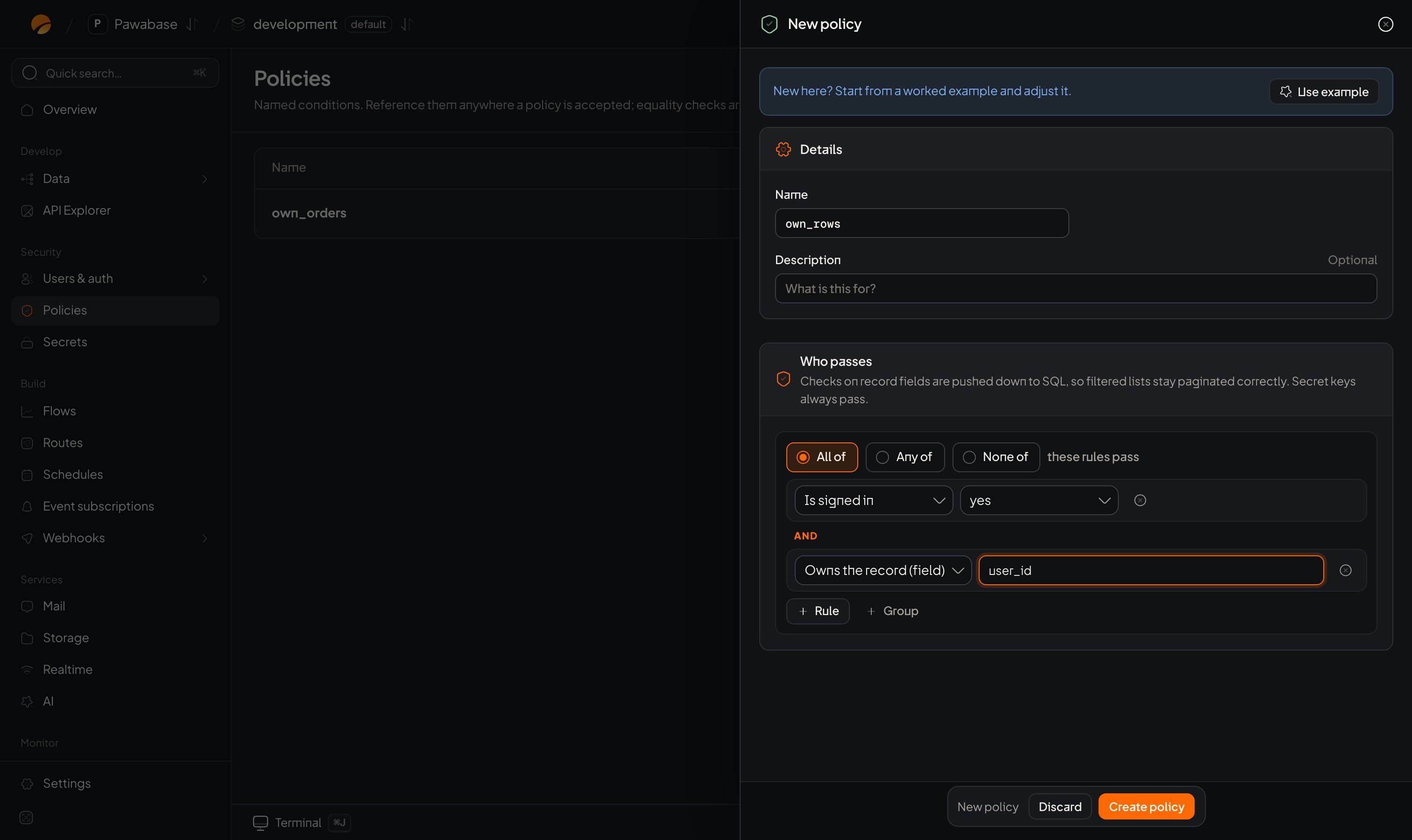
A rule in Studio's builder: two checks that must both pass.
Where you choose a rule
Anywhere a rule is needed, Studio shows the same rule picker:What a rule can check
Each request is described to the rule as facts. In the builder you pick them as paths:
See Facts a rule can check for every field.
How a decision is made
- The request arrives with a key and, for a signed-in person, their token.
- Pawabase gathers the facts.
- The rule for that action is checked against them.
- Pass: the request goes on. Fail: it’s refused before anything is read or written.
Who always passes
Secret keys always pass, and so does Studio (it acts with your team’s authority). That is why testing with a secret key tells you whether a rule is the cause of a refusal, and why a secret key must never reach a browser.What a refusal looks like
A refusal is decided before the record is looked up, so it never reveals whether an id exists.
Rules are per action
A table has five actions, each with its own rule: you might let anyone read, signed-in people create, owners update, and nobody delete. Think of a table’s access as a small grid, not one switch.Rules are checked every time
There is no session-long “permission”. Every request is checked fresh against the current record and the caller’s current token. A change to a person’s roles reaches them when their token refreshes (Roles).Defaults
Be explicit. Choose a rule for every action you turn on.
What rules can’t do
- They decide whole requests and rows, not columns. For column privacy, mark a column Write only, split a table, or return only some fields from a route.
- They can’t look at other tables or call other systems. When a rule needs that, see Rules that need more data.
- They can’t change data.
Policies in Studio
A tour with screenshots.
Condition builder
Build your own.