

1. The Policies page
Access → Policies in the sidebar. This is where your named rules live: conditions you give a name and reuse anywhere a rule is accepted; equality checks are pushed down to SQL.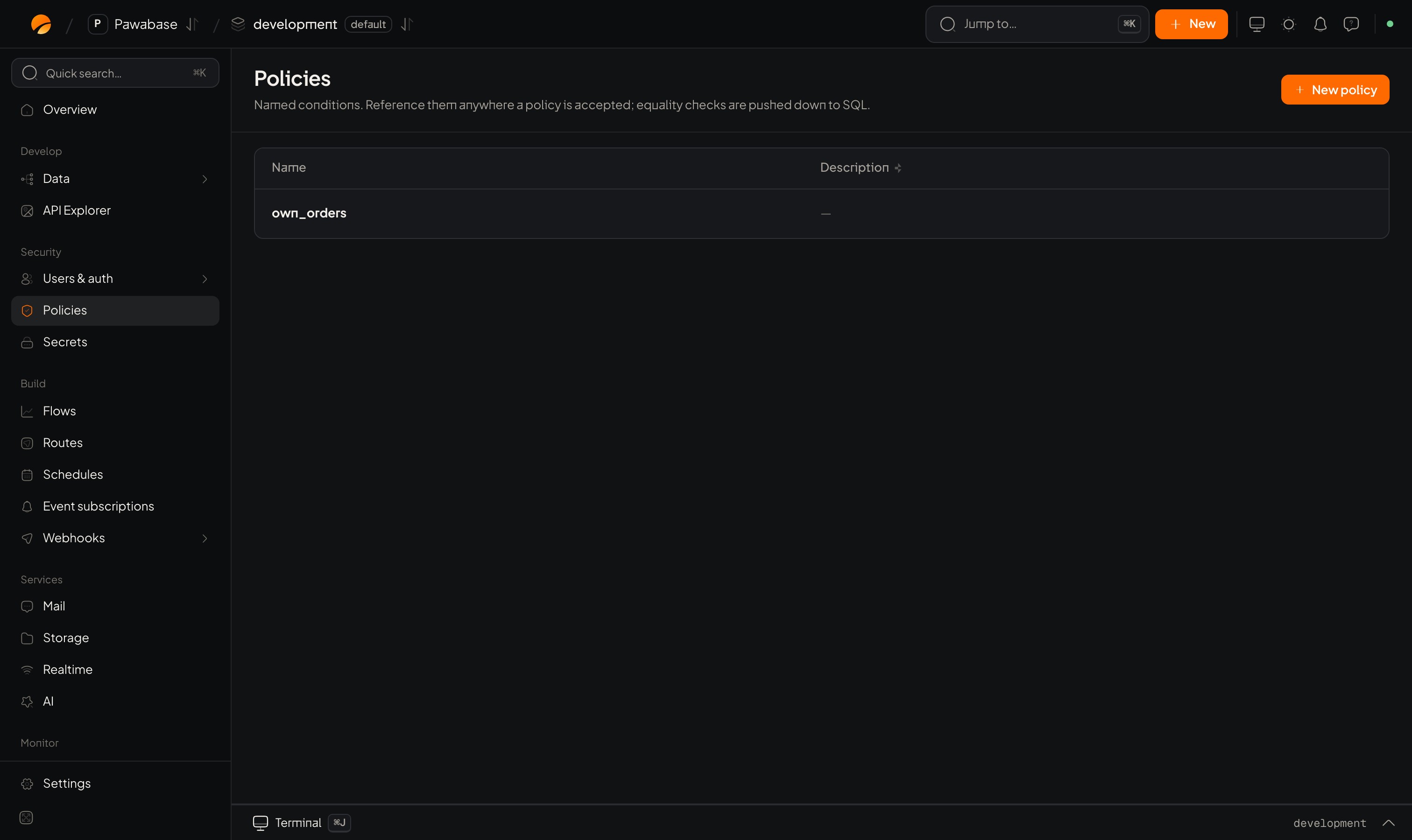
Access → Policies lists your named rules. Here one rule, own_rows, already exists.
2. The New policy sheet
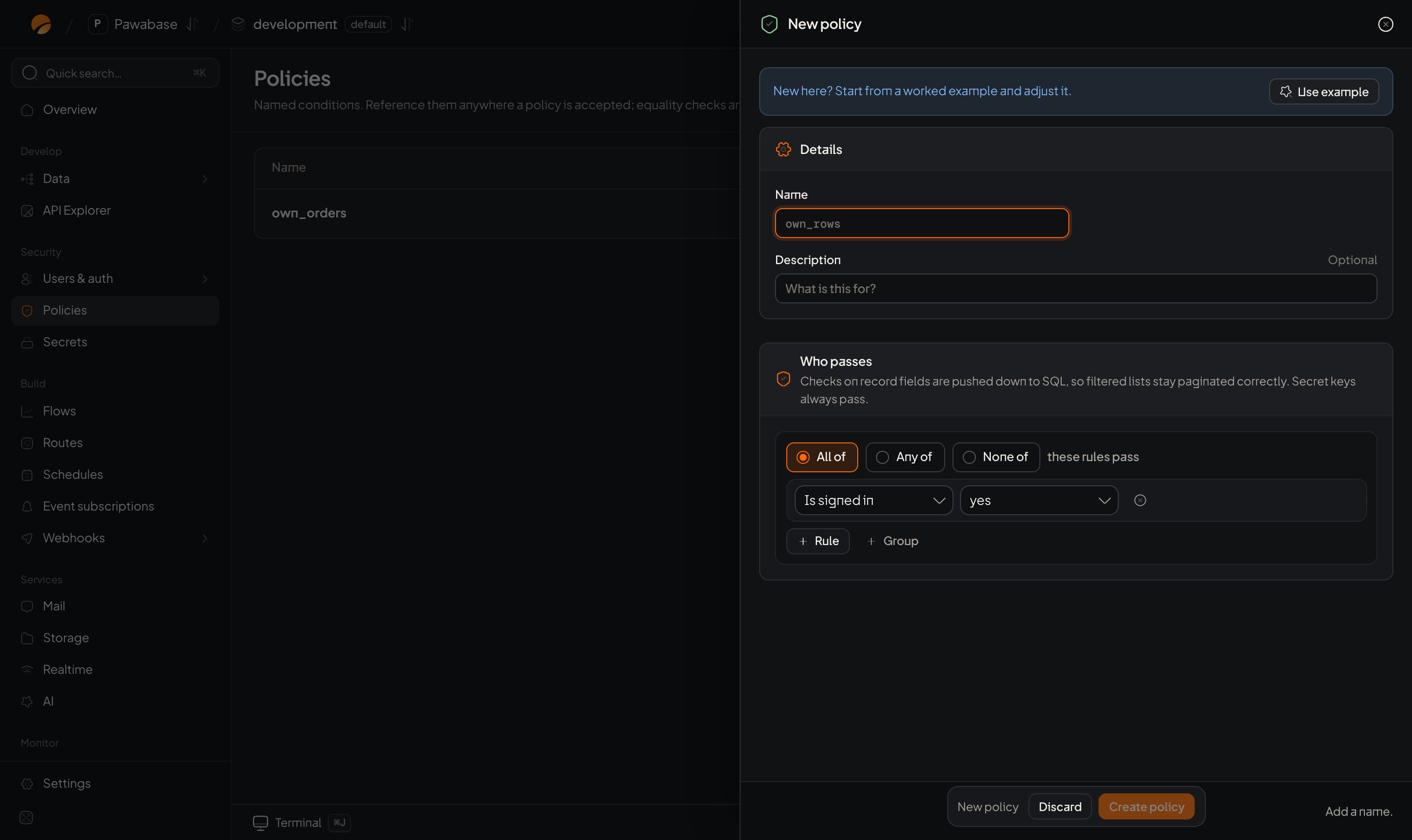
The New policy sheet: details, then Who passes.
- Details: Name (letters, digits, dashes and underscores, like
own_rows) and an optional Description. - Who passes: the condition builder. Checks on record fields are pushed down to SQL, so filtered lists stay paginated correctly. Secret keys always pass.
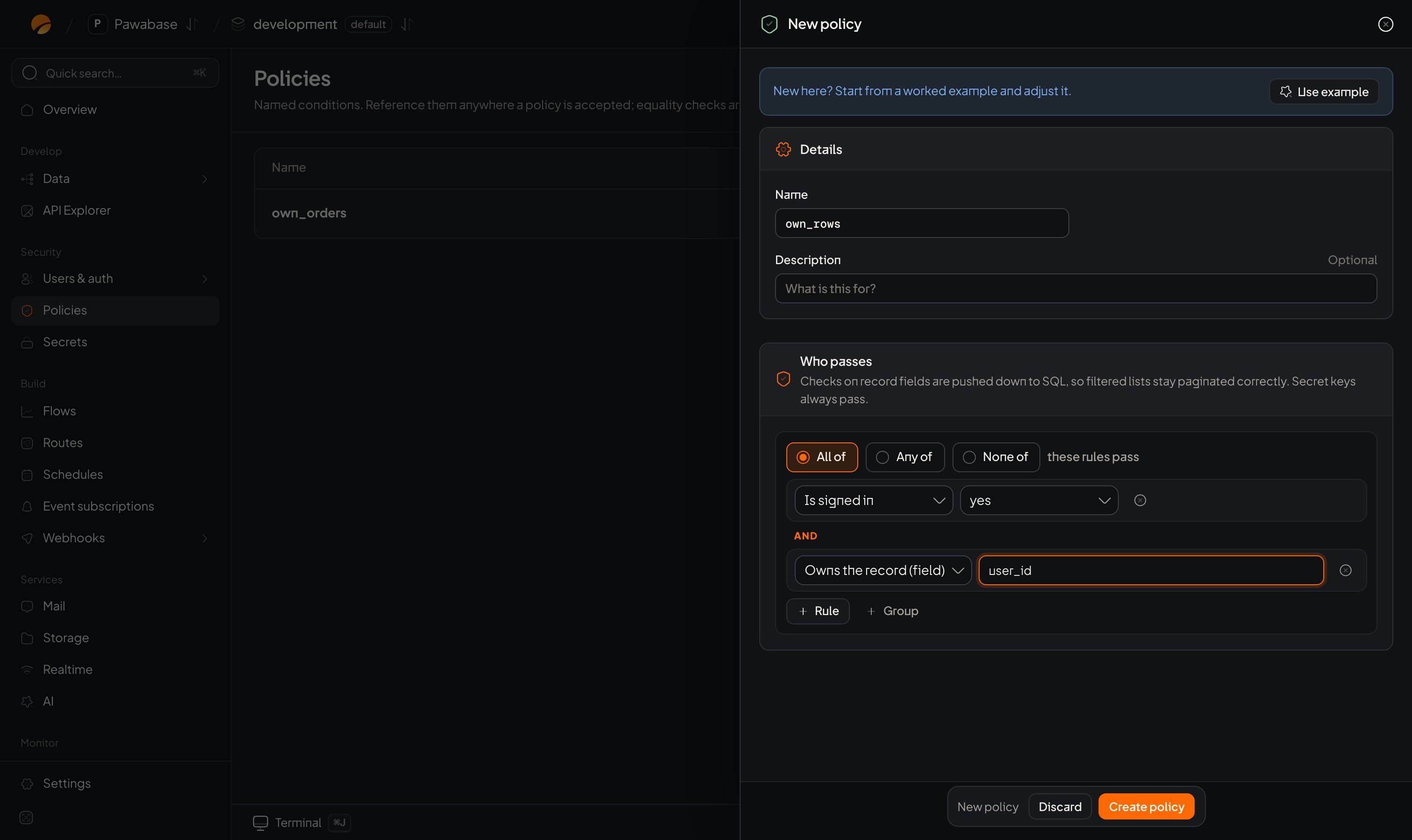
After Use example: signed-in users who own the record.
3. Add rules and groups
- All of / Any of / None of at the top say how the rules below combine.
- Each row is one check. The first menu chooses the kind of check; the next boxes take its values.
- + Rule adds a check. + Group adds a nested set with its own All/Any/None.
- The small ✕ at the end of a row removes it.
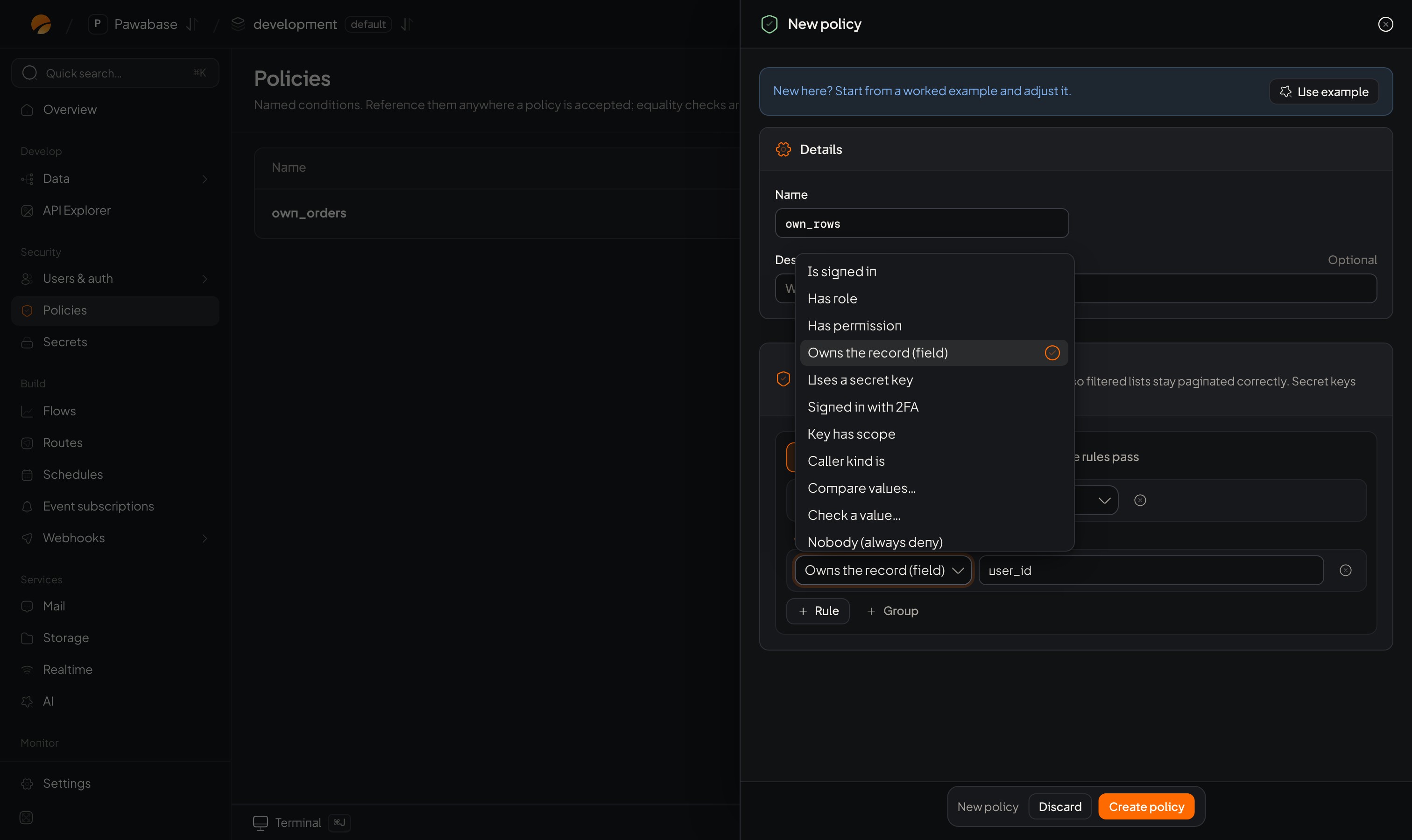
The kind-of-check menu: Is signed in, Has role, Has permission, Owns the record, Uses a secret key, Signed in with 2FA, Key has scope, Caller kind is, Compare values, Check a value, Nobody.
4. A table’s Access tab
Data → open a table → Access. The place you attach rules to a table’s five actions. A table with no API of its own says Not in the API: the table has no API of its own yet, so your app’s users can’t reach it. Only Studio and secret keys can. Define its columns to open it up.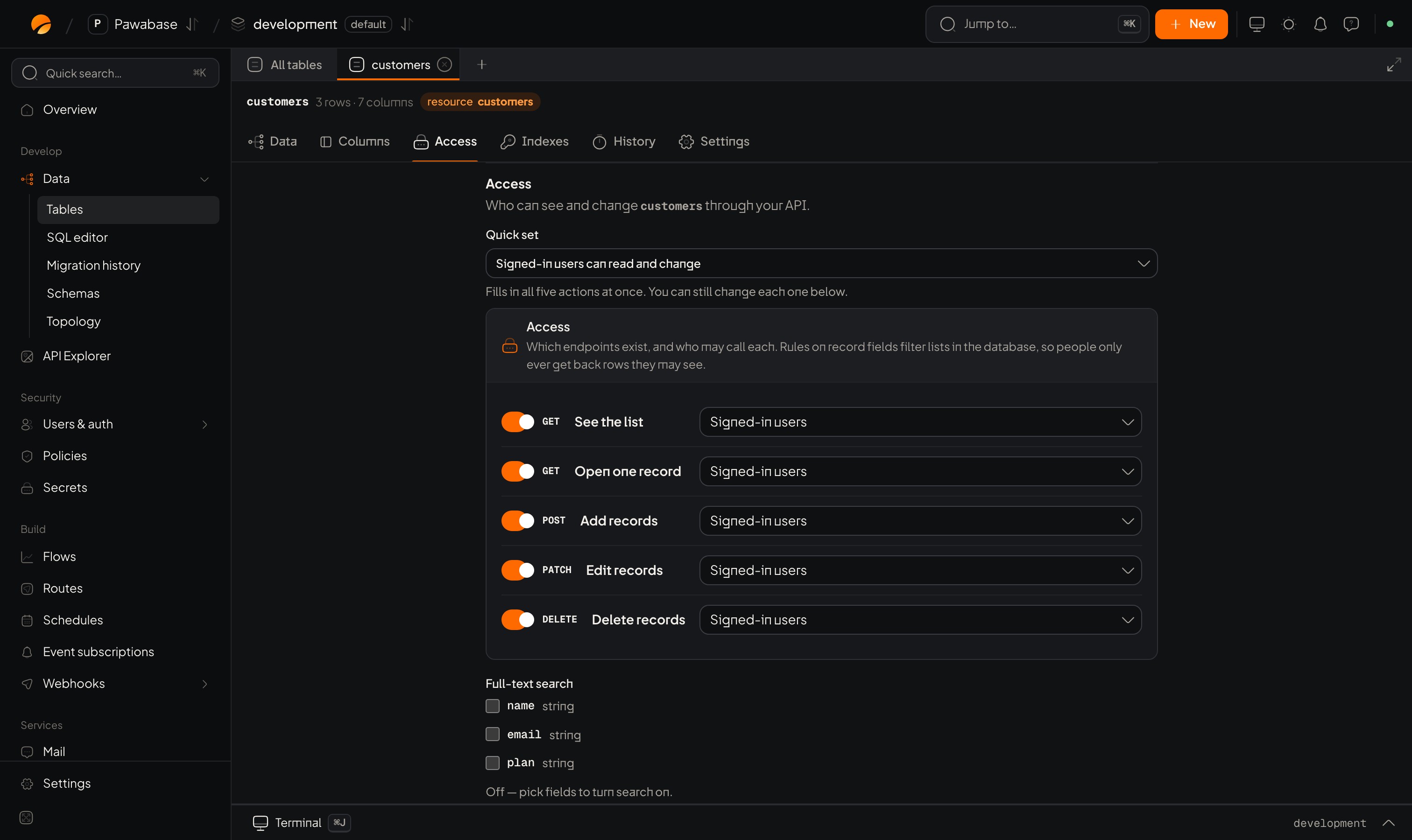
A table that isn't in the API yet: Access has nothing to set until it has columns.
5. The rule picker on other pages
Buckets, realtime channels, routes and event subscriptions all use the same picker.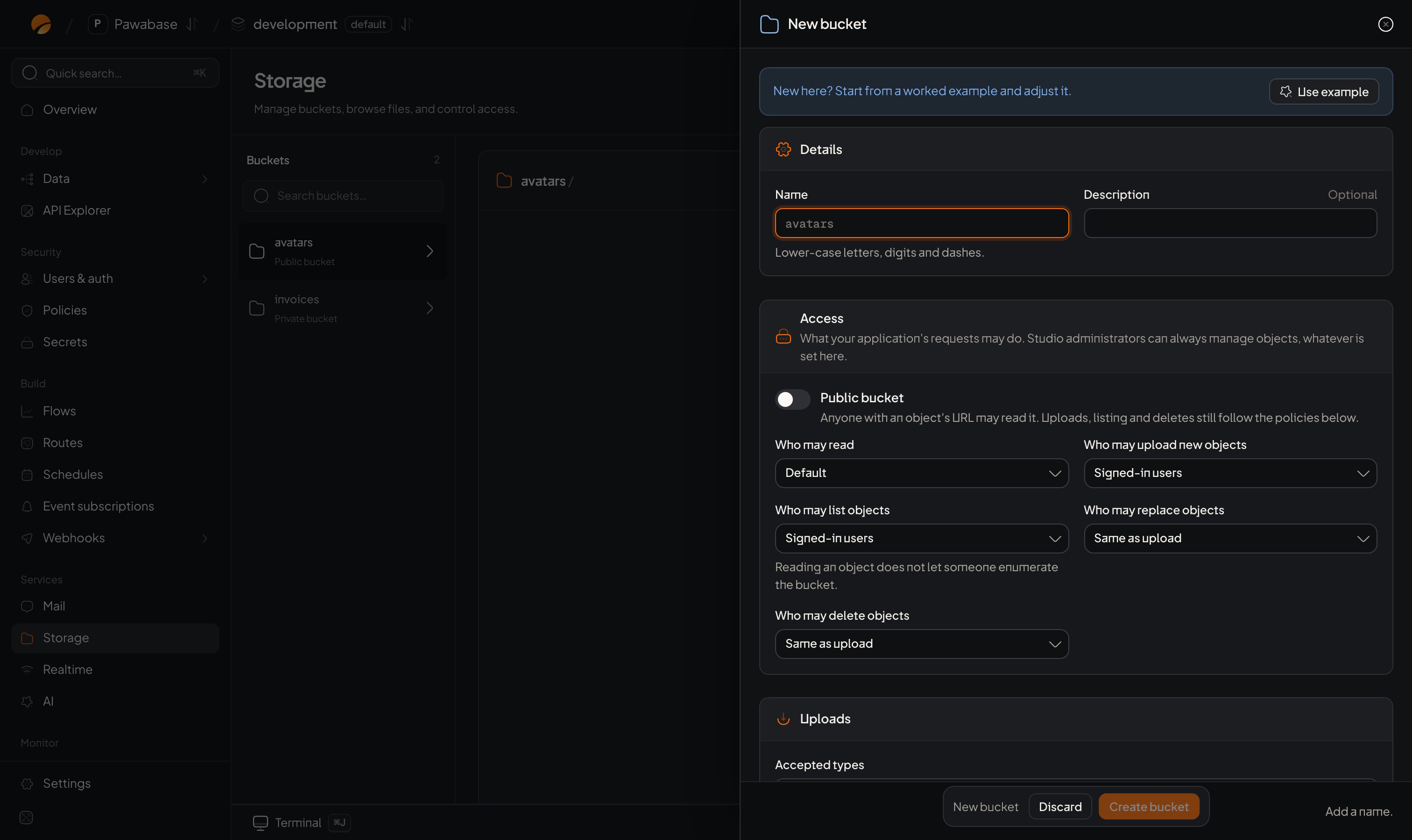
A bucket's Access section: Public bucket, then Who may read, upload new objects, list, replace and delete.
6. The request inspector
Project → Activity, then a request. Each request records which rule decided and why: how you debug a refusal. See Debugging rules.7. The API Explorer
Data → API Explorer sends a request as a real person (sign in with their email and password under Application-user authentication) so you can see what they can do. See API Explorer.A good workflow
- Pick the closest quick set or built-in on the table.
- If you need more, build a custom condition and use Save as policy to give it a clear name.
- Test with the Explorer as two different people.
- Check Activity to confirm which rule decided.
- Reuse the named rule on other tables.
Condition builder
Each kind of check.
Named rules
Save and reuse.