

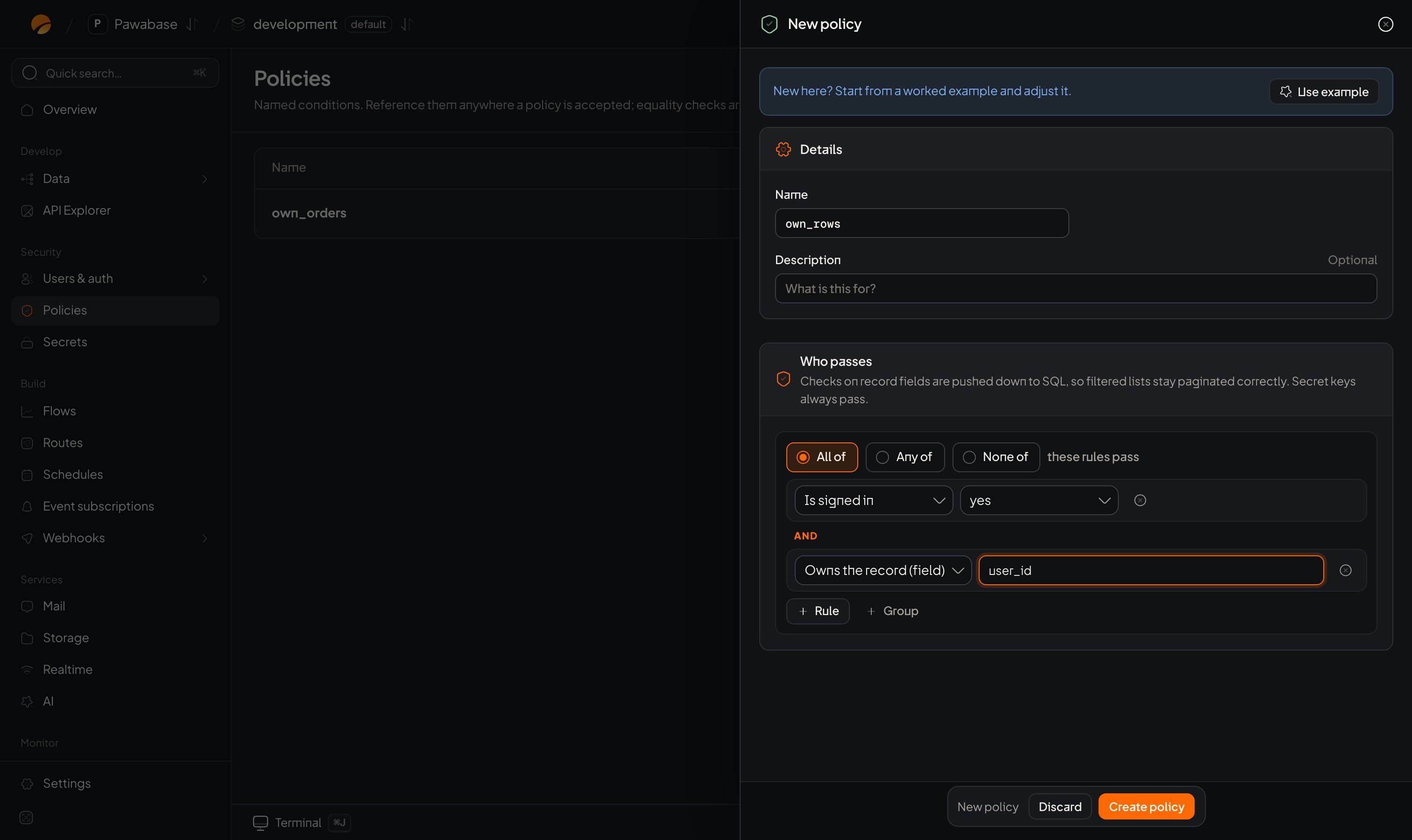
The builder in the New policy sheet.
Where
It appears in Access → Policies → New policy (under Who passes), and inline wherever you choose Custom condition in a rule picker (a table’s Access tab, a bucket, a channel, a route, a subscription’s Only when…).Groups: how checks combine
At the top of a group, pick one:
Click + Group to nest: “signed in and (the owner or an admin)” is an All of containing an Any of. An empty All of says No rules: everyone passes; an empty Any of says No rules: nobody passes.
Kinds of check
Click + Rule, then open the first menu: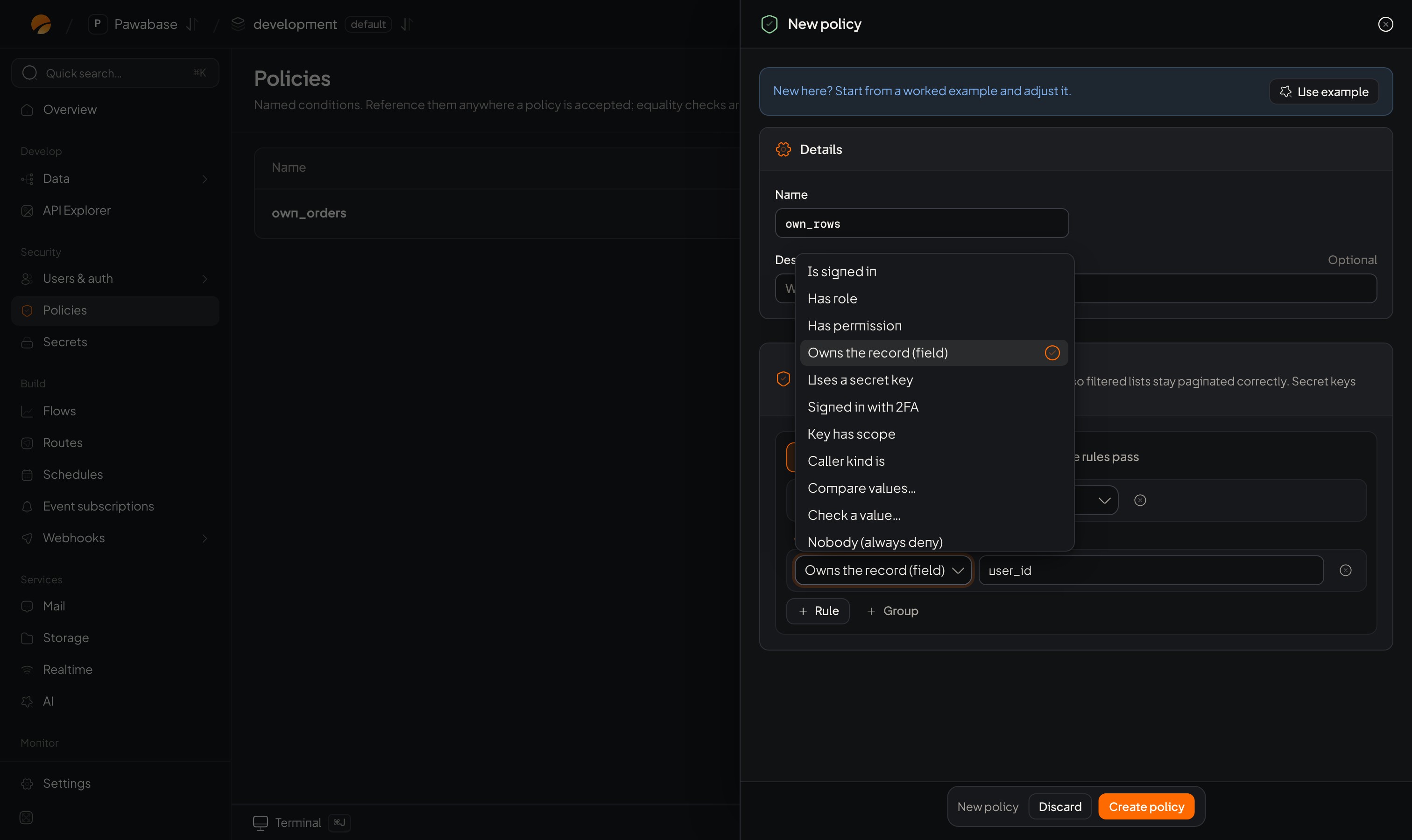
The kinds of check.
Compare values
Choose the Comparison operator:Check a value
exists (it is present), is set / true (present and not empty or false), is empty (missing or empty).The values you type
Each side of a comparison is either a path (it starts with$ and reads a fact about the request) or a plain value:
$auth.user_idis the caller’s id;$record.owner_idis a column on the record;$input.statusis something being submitted.draft,3,yesare plain values. Write$$for a literal dollar sign.
Build one: “the owner or an admin, but only while not locked”
- Open New policy. Leave All of selected.
- Click + Group, switch it to Any of.
- In the group, + Rule → Owns the record (field) →
owner_id. - + Rule → Has role →
admin.
- In the group, + Rule → Owns the record (field) →
- Back in the outer All of, + Rule → Compare values…:
$record.lockeddoes not equaltrue. - Name it
owner_or_admin_unlocked. Create policy.
Tips
- Prefer the dedicated kinds (Has role, Owns the record) to comparisons you make yourself: they read better and Pawabase can turn them into database filters.
- Keep groups shallow. More than three levels? Split into named rules (Named rules).
- Use Use example on the New policy sheet to see a working rule.
Operators
Every comparison.
Recipes
Rules to copy.