

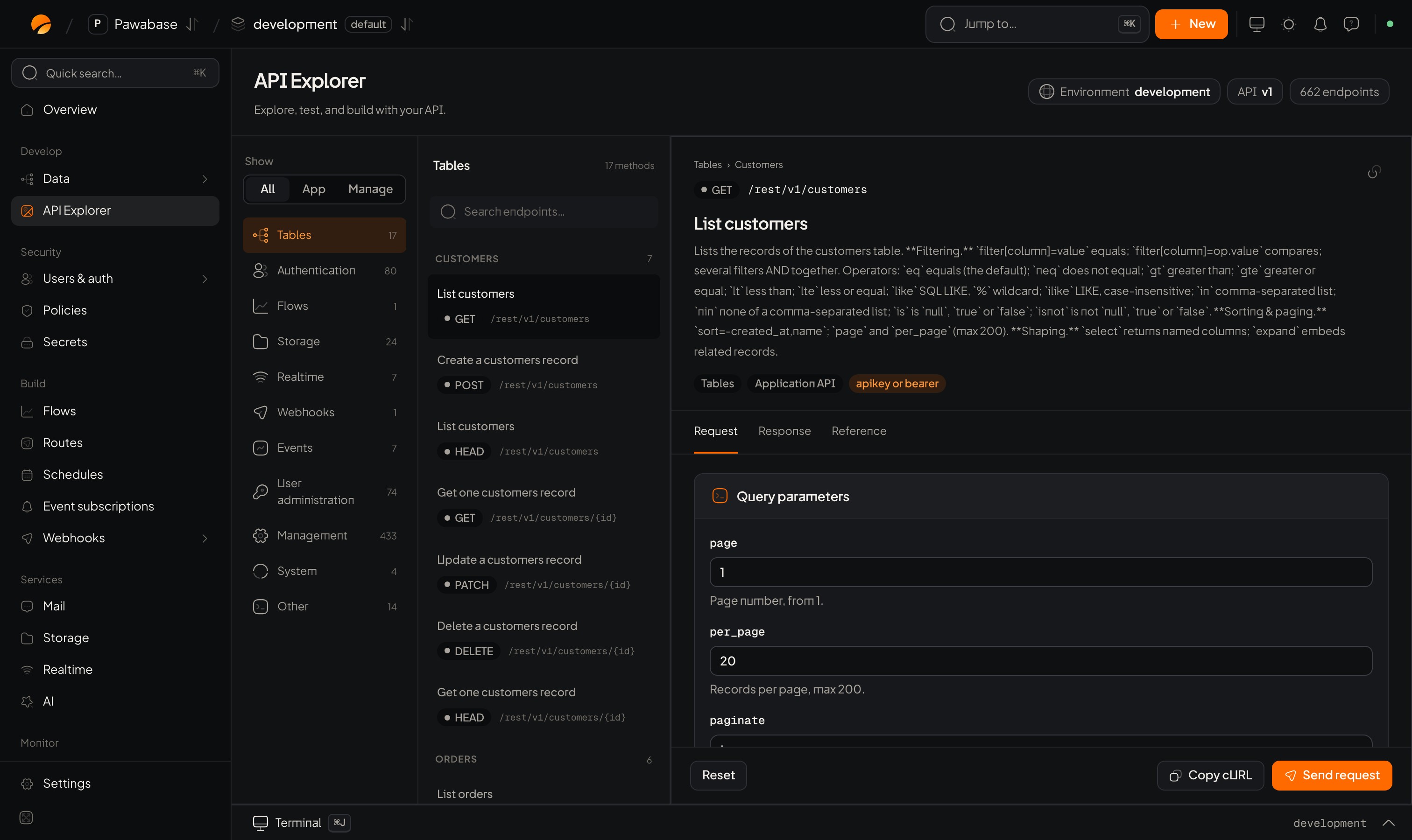
Data → API Explorer: every endpoint, a request builder and the response.
In Studio
Data → API Explorer. Requests go to the environment you are in (switch environments from the top bar).Build a request
- Pick an endpoint from the list: every table’s list, get, create, update, delete, plus your routes.
- Fill Path parameters (such as the record id), Query parameters (filters,
expand, sort, page) and Request body. Documented headers are offered under Headers; add your own with a header name and value. - Choose Authorization (below).
- Send. The Response shows the status, headers and body; Responses lists what the endpoint can return.
Make the request as someone
Application-user authentication lets you sign in as a real user of your app: enter User email, Password and, if they have two-step on, an MFA code. Studio then sends the request with that user’s token, so you see exactly what they would. Test the same request signed in as a different user, and as nobody, to check your access rules. Authorization can also use a bearer token you paste. Studio supplies a scoped API context for live requests. The API key for cURL you enter is only included in copied cURL commands.Copy as cURL
Copy the request as acurl command (using the key you entered) to reproduce it in a terminal or share it.
Same thing from your app
Every request in the Explorer has a client equivalent:
Use the Explorer to find out what the wire looks like; use the client in your app.
The generated documentation
Each resource compiles to an OpenAPI description (the descriptions and examples you wrote on columns appear here): It is what TypeScript types are generated from.Debugging with the Explorer
- A user says “I can’t see my orders.”
- Sign in as them in Application-user authentication (use a test copy of the account).
- Send
GET orders. Empty? Thelistrule filtered everything.403? A rule refused.401? Not signed in. - Open the request in Activity to see which rule decided. See Troubleshooting.
Testing rules
Prove access behaviour.
Troubleshooting
When a request misbehaves.