

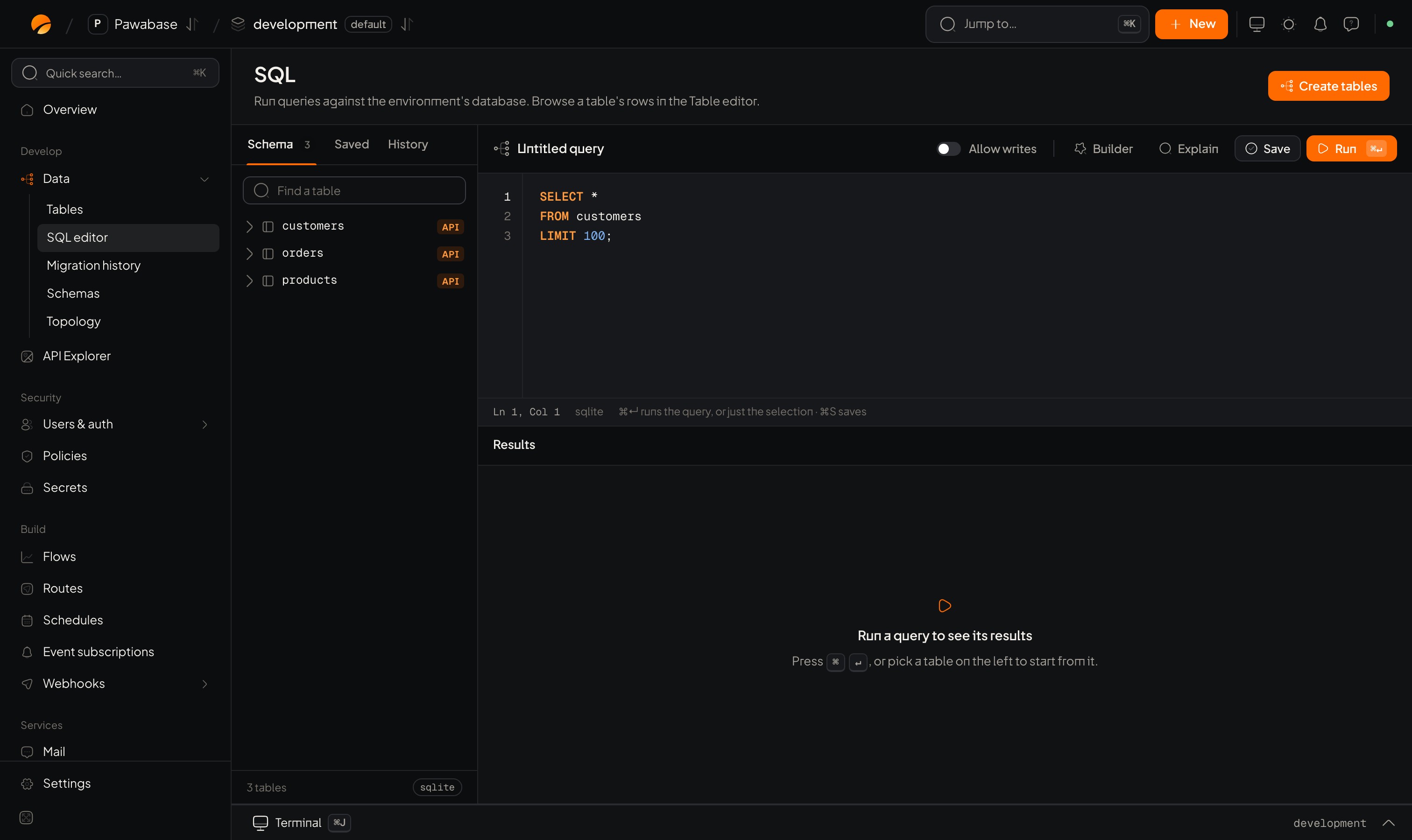
Data → SQL: Schema, Saved and History tabs, Allow writes, Query builder, Save, Explain and Run.
In Studio
Data → Tools → SQL. It has:- Schema, Saved and History tabs on the left: Schema is the table browser with Find a table; Saved holds saved queries; History your recent runs.
- An editor that completes table and column names as you type.
- A builder for people who would rather click: choose a Table, Columns, a Join type, Operator and values, Combine with AND/OR, and Order by. The builder writes the SQL for you.
- Results below, with No rows. when empty. Long values are truncated; open a row to see everything.
- Saved queries, shared with your team: give a query a Name (“Orders per day”) and a Description (“What it answers”), and load it later. Delete with the trash action.
- Show how the database would run this query (explain): the plan, to see whether an index is used.
Create tables
The Create tables button at the top creates or extends the tables for every resource at once. It adds only: nothing is dropped or retyped.Useful queries
Safety habits
- Select before you update. Run the
SELECTwith the sameWHERE, check the count, then changeSELECTtoUPDATE. - Take a backup before a large change. See Backups.
- Writes bypass access rules and events at the SQL level. If you need events to fire, use the table editor, an import, or enable Capture changes made outside the API on the resource (Events and realtime).
- Run risky statements in
developmentfirst.
Reading a plan
Run explain on a slow query:- Index scan / index only scan: good: the index is used.
- Sequential scan on a big table: no usable index. Add one that matches the
WHEREandORDER BY(Indexes). - A sort on millions of rows: add an index that already has the order.
Table editor
Edit single rows.
Indexes
Speed up what explain shows.