

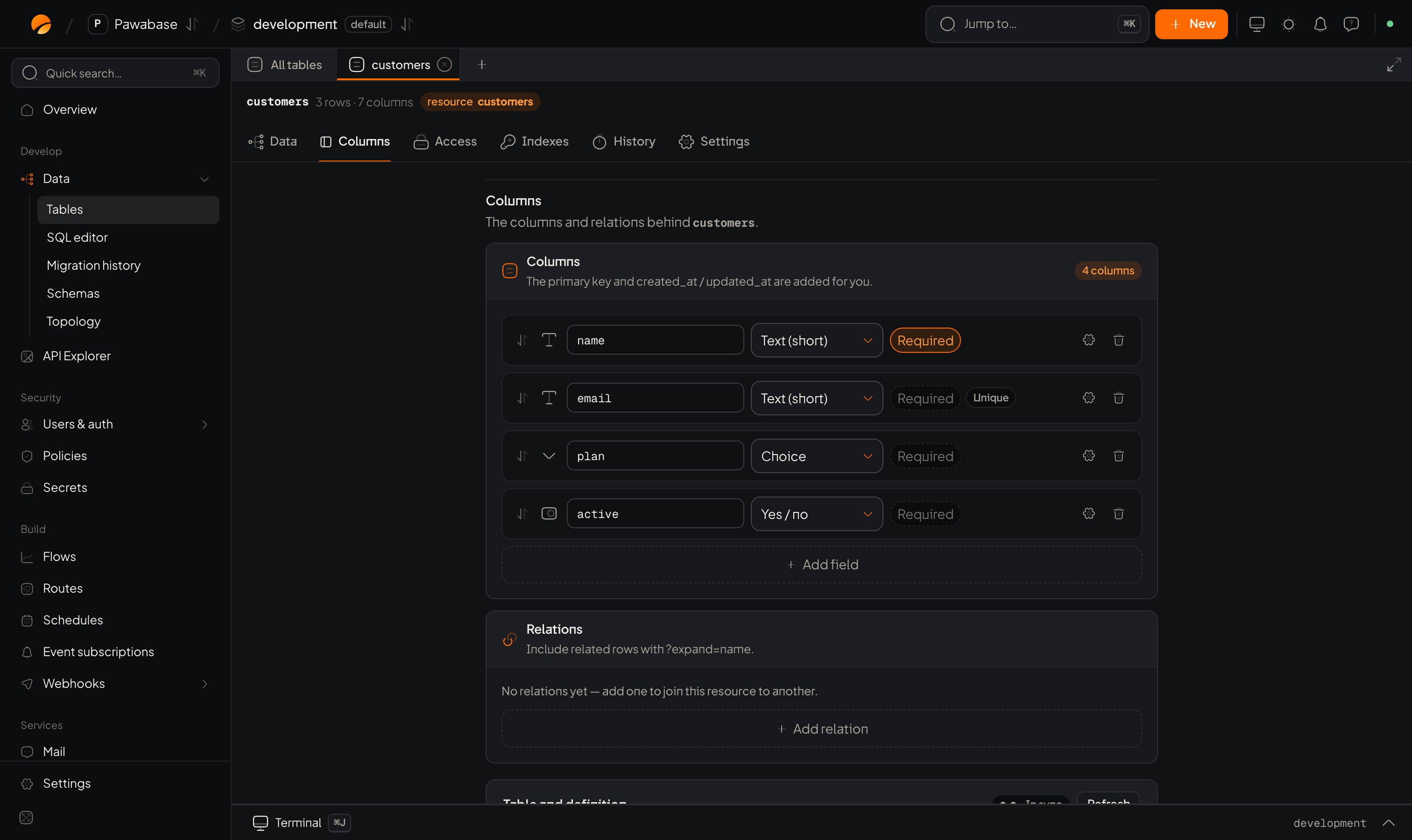
The Columns tab. A table with no resource shows its raw columns and Define a resource.
In Studio
Open a table and choose the Columns tab. If the table has no resource yet, the tab shows its raw columns and Define a resource (type a Resource name and click it); after that each column becomes editable as below. Each column is a row that expands into its settings.- Add column adds a row. Give it a name (a letter or underscore, then letters, digits and underscores) and pick a Column type from the menu.
- Click a row to open its details: Description (shown in the API docs), Default, Example, plus type-specific limits and the flags below.
- Collapsed rows show the flags that change behaviour: Nullable, Unique, Indexed, Read only, Write only.
- Changing a type converts the column’s settings sensibly; you review the migration before anything runs.
Types
Money: store integers in the smallest unit (cents), plus a currency column. Floats round.
Constraints
Set these in the column’s details in Studio. They are enforced on every create and update.Flags
What your app sees
A write that breaks a rule fails with aValidationError that names the field:
unique value is a ConflictError. Show these next to the form inputs (Write records).
Changing columns safely
- Adding a column is safe. Make it nullable or give it a default, so existing rows are valid.
- Making a column required on a table with rows needs a value for old rows first: add as nullable, backfill, then require.
- Changing a type or removing a column is a risky migration. Studio marks it Needs review, keeps the old values next to the column until you remove them, and lets you roll back. See Migrations and history.
- Pawabase never drops a column by itself.
Ids and timestamps
The columns every record has.
Schemas
Reusable object shapes.