

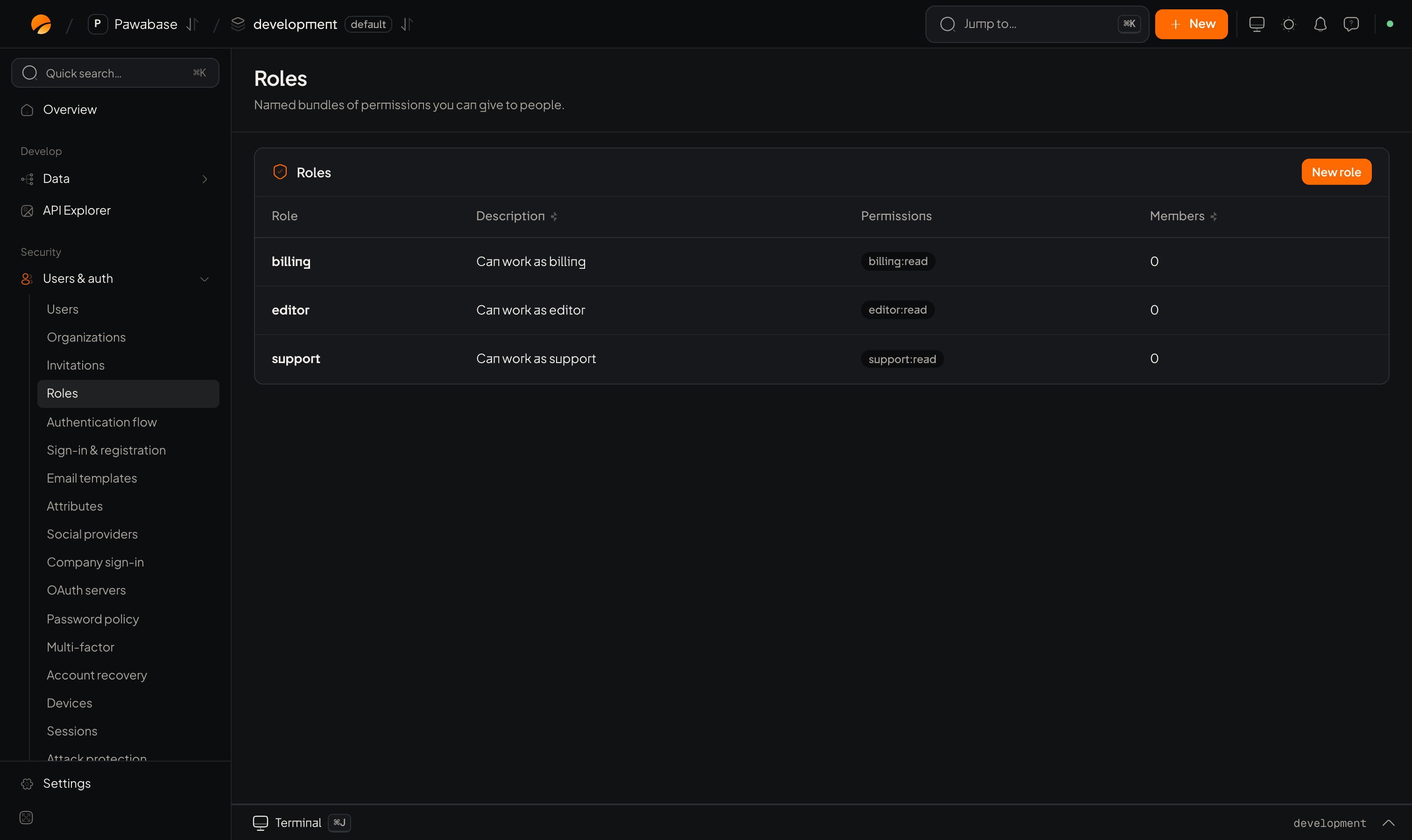
Users & auth → Roles: New role.
Permissions
A permission is a string of the formresource:action, where * is a wildcard.
The names are yours. Pawabase only matches strings; your rules decide what they mean.
In Studio
Users & auth → People → Roles. Each role shows its permissions. New role asks for:
To give someone a role: open Users, open the person, and on Access click a role to give or take it away. Direct permissions adds single permissions on top of what the roles allow.
Default roles for new accounts
Restrictions → Roles for new accounts (default_roles) are granted at sign-up. See Sign-up restrictions.
Use roles in rules
Choose Users with roleeditor in the rule picker.
- Has role
editor,admin
posts.write in the rule picker.
Prefer checking a permission over a role in your rules: role names change as a business grows, permissions describe what a person may do. See Access rules.
Roles in the client
The signed-in user’s roles are onuser.roles. Use them only to decide what to show; the server’s rules are what protect data.
When changes take effect
Roles and permissions travel in the access token, so a change arrives when the person’s token refreshes (within minutes) or when they sign in again. To apply it at once, end their sessions:a.users.revokeSessions(userId).
Plan changes
A common pattern: when billing says a customer upgraded, update their roles or private metadata from your server:Users
Assign roles to people.
Access rules
Rule shorthands for roles.