

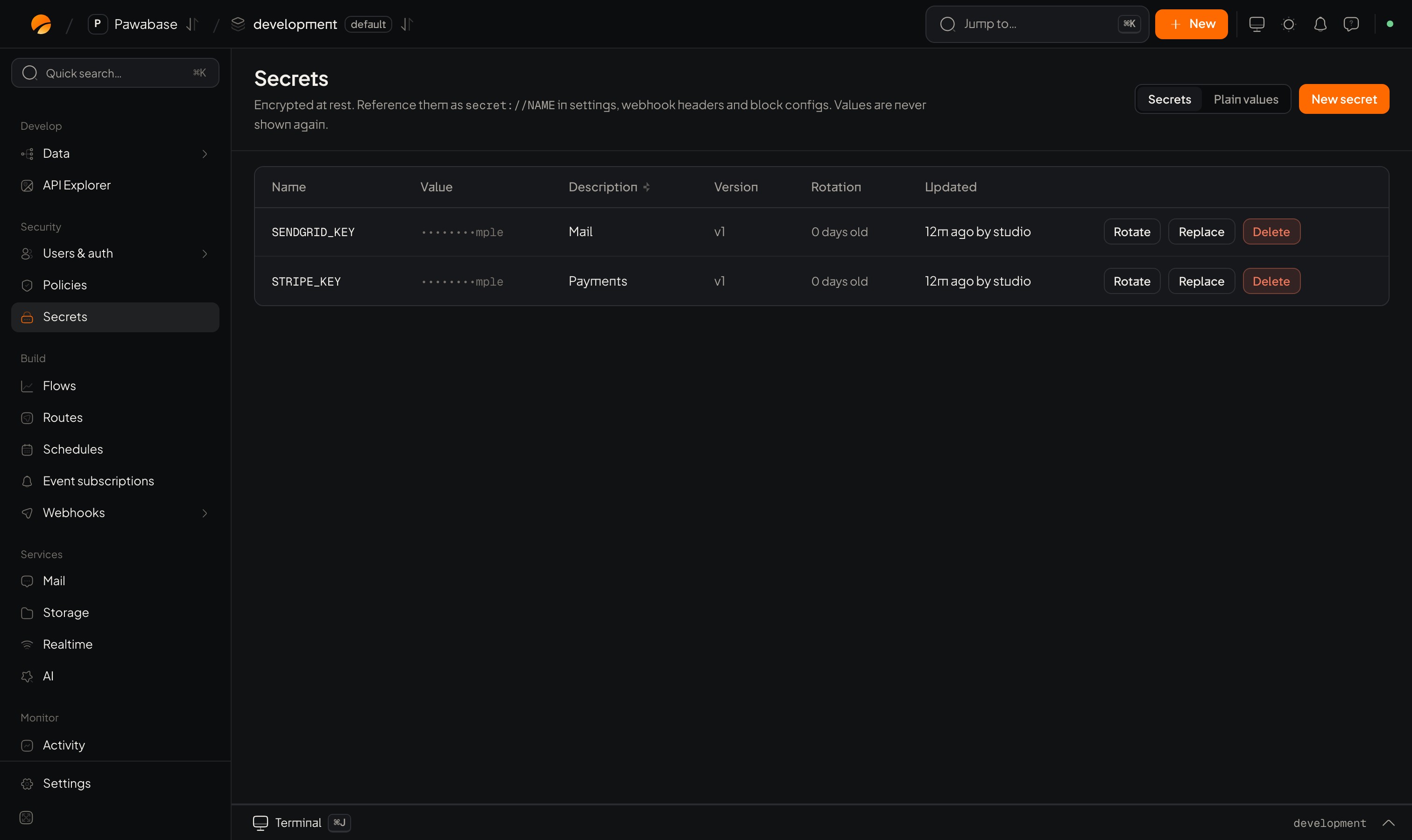
Secrets: the names, versions and last change; values stay hidden.
Add one
- Secrets → New secret.
- Give it a name in capitals (for example
STRIPE_API_KEY). - Paste the value and an optional description.
- Save.
Use one
Refer to it by name wherever a value is expected:
Because secrets live in the environment,
development and production can each hold their own value under the same name, and your flows work in both unchanged.
Rotate
Rotating replaces the value and keeps the old one, so a mistake can be undone with Restore the value this secret had before its latest change. Update the other side (your provider, a client) as you rotate. Set Rotate every (days) to have Studio show a secret as due for rotation after that many days. Leave it empty for none.Plain values
The Plain values view next to Secrets holds settings your app reads that are not secret, such as a store name or a feature switch. Anything private belongs in Secrets.What is not copied
Secrets are never copied by promote, included in backups, or exported. Add them in each environment.Good practice
- Name them for what they are (
STRIPE_API_KEY), not who made them. - Use a different value per environment. Test keys in development.
- Rotate when someone who knew a value leaves.
- Don’t paste secrets into flow inputs, logs or support messages.