

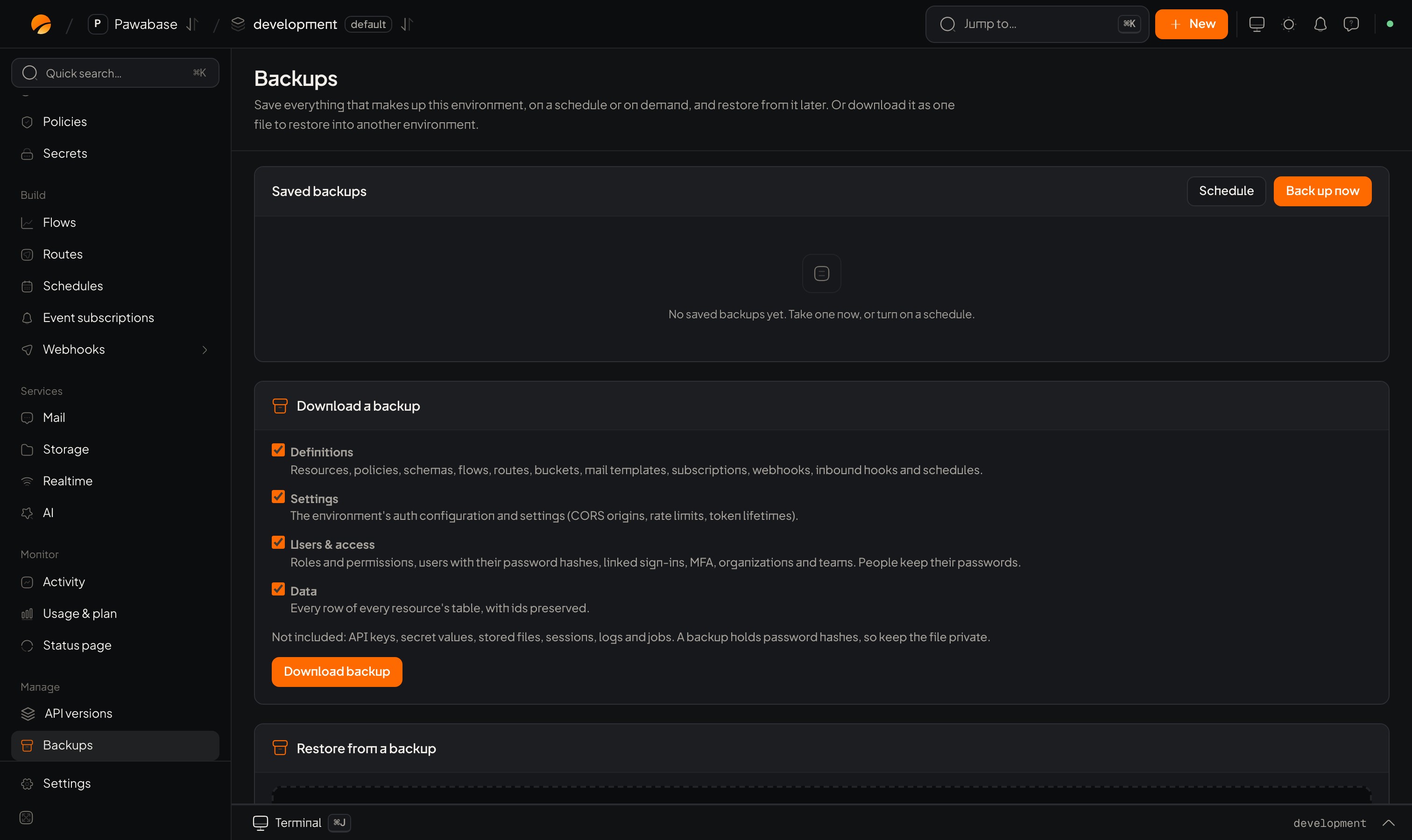
Project → Backups: Saved backups (with Schedule and Back up now), and Download a backup.
Where
Project → Backups. The page has Saved backups (with Schedule and Back up now buttons) and Download a backup.What a backup holds
Four parts, each a checkbox:
Not included: API keys, secret values, stored files, sessions, logs and jobs. A backup holds password hashes, so keep the file private.
Back up now
- Back up now.
- Choose what to include.
- Give it a name and a note (why you took it).
- It appears under Saved backups.
Schedule backups
Click Schedule: turn on Back up automatically, choose How often (hourly, daily or weekly), At (UTC hour), Keep the last and Keep for (days). See Automatic backups.Restore
Choose a saved backup (or an uploaded file), What to restore, and How:- Merge adds and updates.
- Replace deletes current rows, users and definitions in the chosen parts first.
Download
Tick the parts and click Download backup to get one file you can keep or restore into another environment. For people alone, use Import and export.A sensible plan
- Automatic daily backups, keeping the last 14.
- A pinned backup before every release or risky migration.
- Test a restore into a non-production environment once a quarter. A backup you haven’t restored is a hope, not a backup.