

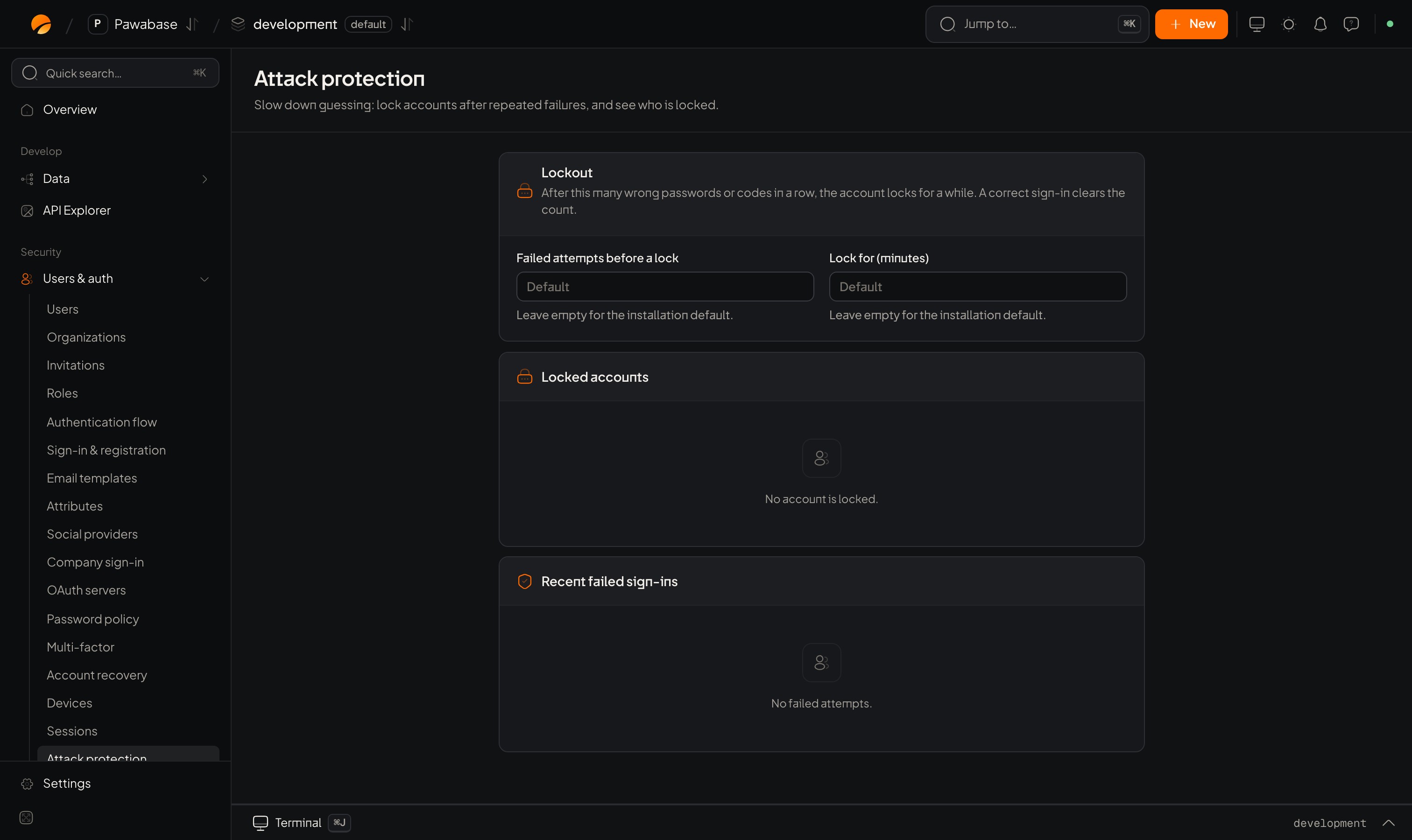
Users & auth → Attack protection: lockout, locked accounts and recent failed sign-ins.
In Studio
Users & auth → Security → Attack protection. Lockout: After this many wrong passwords or codes in a row, the account locks for a while. A correct sign-in clears the count.
Two lists sit below:
- Locked accounts: who is locked now, with an Unlock action.
- Recent failed sign-ins: the latest failures with time, address and method, to spot an attack.
What your app sees
A locked account refuses sign-in even with the right password until the lock ends. Keep the message neutral: “We couldn’t sign you in. Try again later or reset your password.” Telling an attacker that an account is locked confirms it exists. Sign-up and sign-in also share a rate limit per address, and the same protection applies to codes, so retrying quickly in a loop only makes things worse. HonourRateLimitError.retryAfter.
Choosing numbers
A short lock stops automated guessing without locking out a person who mistypes; a long lock can be abused to lock people out deliberately, so pair it with two-step verification and with alerts.
Beyond lockout
- Allowed addresses for your servers’ secret keys, and each key’s own limits, are in API keys.
- Breach check in the password policy removes the passwords attackers try first.
- Devices: email when a new device signs in so people notice a stranger.
- Watch Sign-in activity and the
session.reuse_detectedevent for stolen tokens.
Sign-in activity
Investigate failures.
Devices
New-device alerts.