

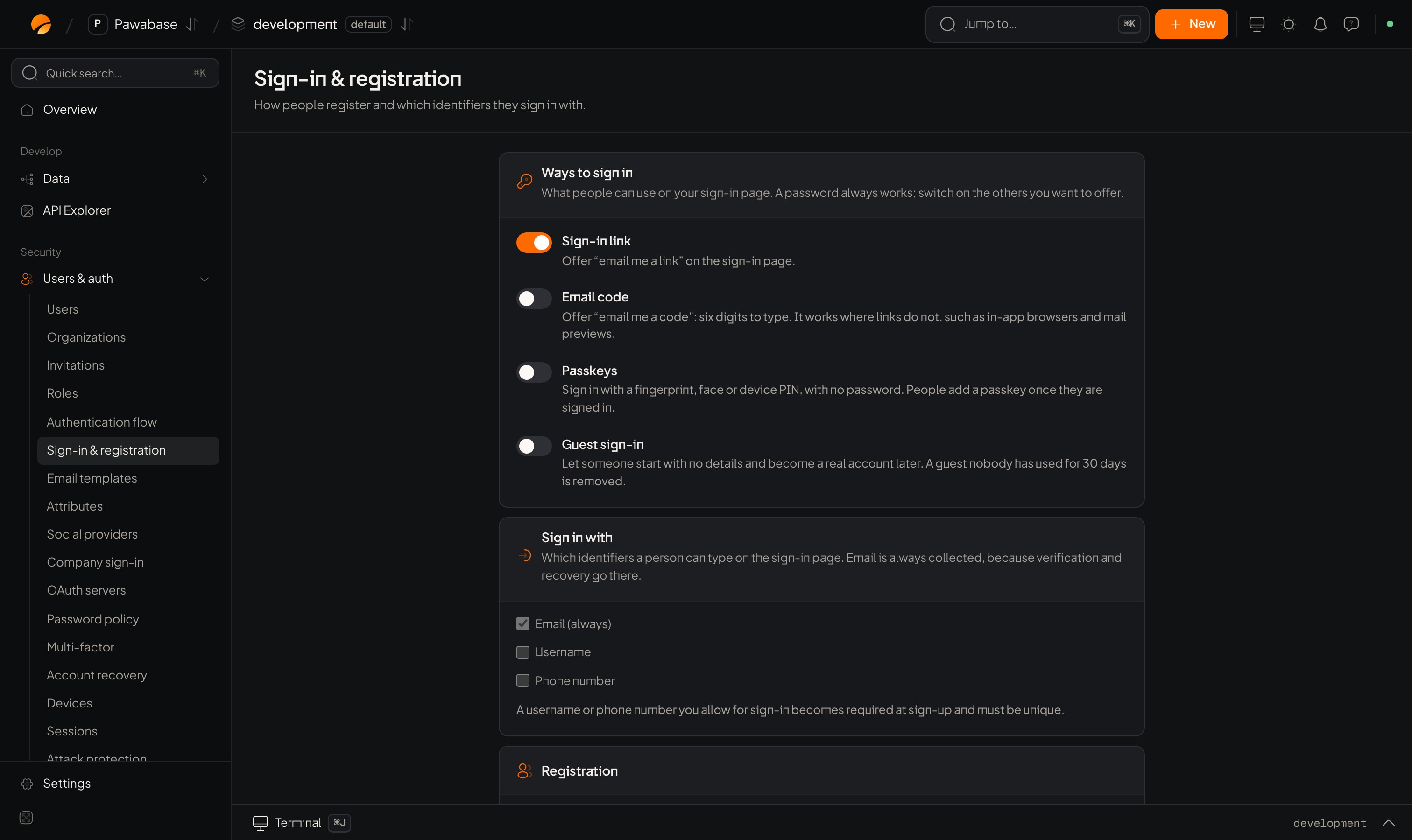
Users & auth → Sign-in & registration: ways to sign in, identifiers and registration.
In Studio
Users & auth → Sign-in → Sign-in & registration. The Registration card:
How strong a password must be is on its own page: Password policy.
Sign up
- Signed in at once.
sessionis set and the client stores it. - Confirmation first.
verificationRequiredistrueandsessionisnull. Show “check your inbox”. When they click the link they land onredirectTo, signed in. See Email verification.
redirectTo address must be on your redirect list.
Extra details your sign-up form collects (company, birthday, terms) go in data and are checked by the rules you set under Attributes.
Sign in
mfa_required with a verify function. To sign in scoped to an organization, add org: "acme".
Errors to handle
A wrong password and an unknown email give the sameAuthenticationError, on purpose, so nobody can find out which addresses have accounts.
ConflictError, a password that fails the policy is a ValidationError on the password field, and an email domain you have blocked is refused too (restrictions).
After repeated failures the account locks for a while: see Attack protection. Sign-up and sign-in share a rate limit, so never retry in a loop.
A complete form
Create users yourself
With self-registration off, create people from the dashboard (Users → New user) . Leave the password empty to have the person set one through a recovery link.Good practice
- Set
autocomplete="email","current-password"and"new-password"so password managers work, and allow paste. - Prefer a long minimum length to complicated character rules.
- Offer a second way in (passkeys, codes). Fewer passwords means fewer resets.
- Never log passwords. Never email them.
Password policy
Set the rules.
Account recovery
Forgotten passwords.