

In Studio
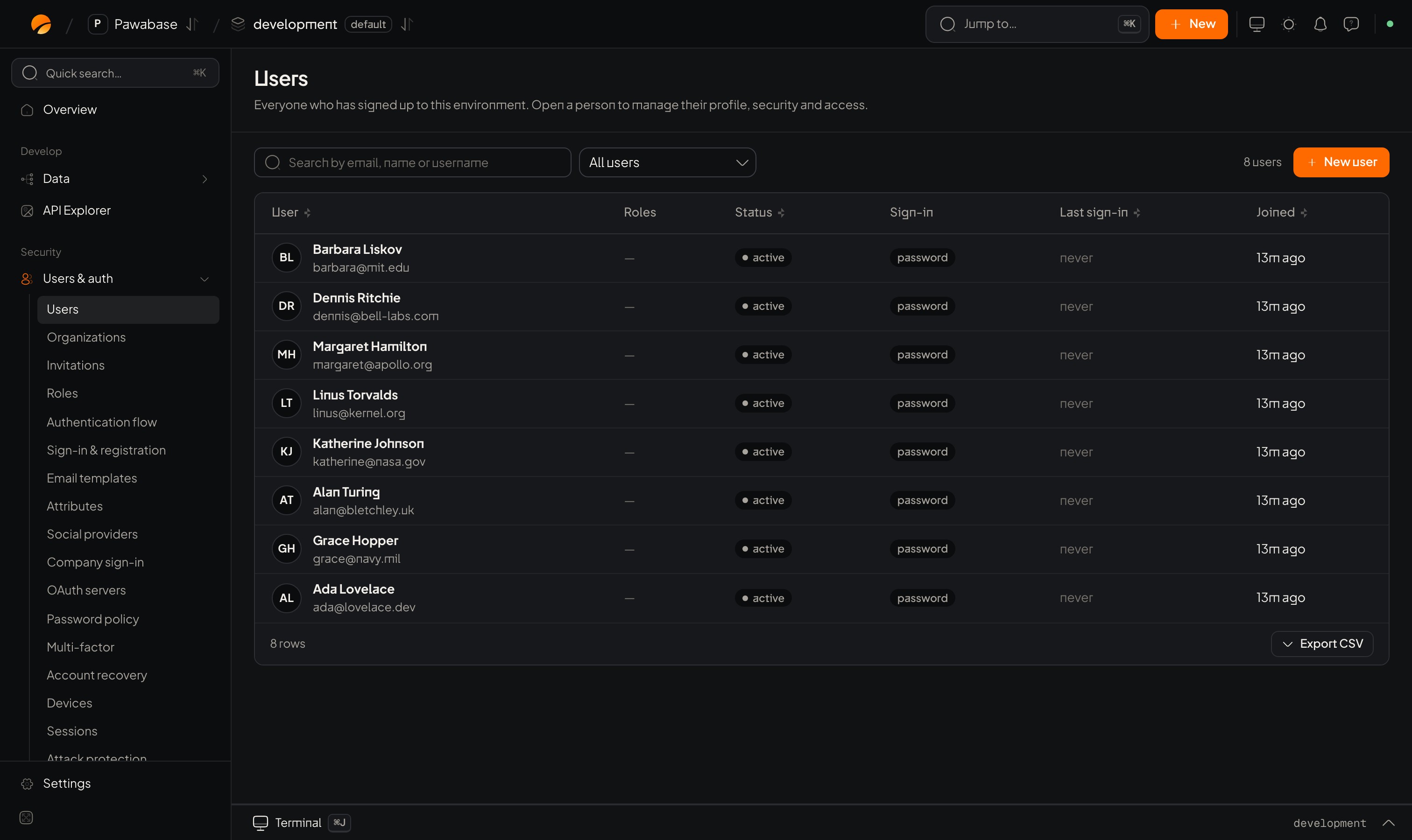
Users & auth → Users: search, filter chips and the list.
Find people
The list has a search box (matches email, username and name) and filter chips: All, Unverified, Disabled, Locked, MFA on, MFA off. Click a row to open the person.Create a user
New user asks for:The person’s page
Other actions: Disable (blocks sign-in and ends sessions, reversible), Unlock (clears a lockout), and Delete user (permanent).
A person’s activity
The Activity tab shows what this person actually did, not only when they signed in. Three kinds of events are recorded:
The tab has:
- Filter chips (Everything, Sign-ins, Account, Requests), each with a count. The chip also changes the grid.
- A year grid, one square per day, darker for busier days, like a contribution graph. Hover a square for the date and count. A small red mark means some of that day’s activity failed.
- A summary: last seen, active days, failures and failure rate, busiest hour (UTC) and how many different IP addresses.
- Most used: their five most-called endpoints, with ids folded together (
GET /rest/v1/orders/{id}). - A timeline, newest first, one line per event with its IP. Show older goes further back.
How far back request activity goes depends on your plan’s request log retention (days). Sign-ins and account events are kept until your plan’s sign-in history limit, which by default is no limit. Older request rows are deleted, so the grid can show less request history than a year.
users.activity(id) and users.timeline(id, ...) in the admin client.
Public and private metadata
Never base a permission on public metadata; people can edit it.
Disable or delete?
- Disable when you may want them back, or while you investigate. They can’t sign in; their data stays.
- Delete to remove the account for good. Their history stays, tied to a deleted account.
- Erase (under Security → Data requests) when a person has asked you to delete their data: it deletes the account and also clears their name, address, devices and sign-in and request history. See Data requests.
Import many users
See Import and export.Events
user.created, user.updated, user.disabled, user.enabled, user.deleted, user.data_exported, user.erased and more are emitted. See Auth webhooks.
Roles
What roles allow.