

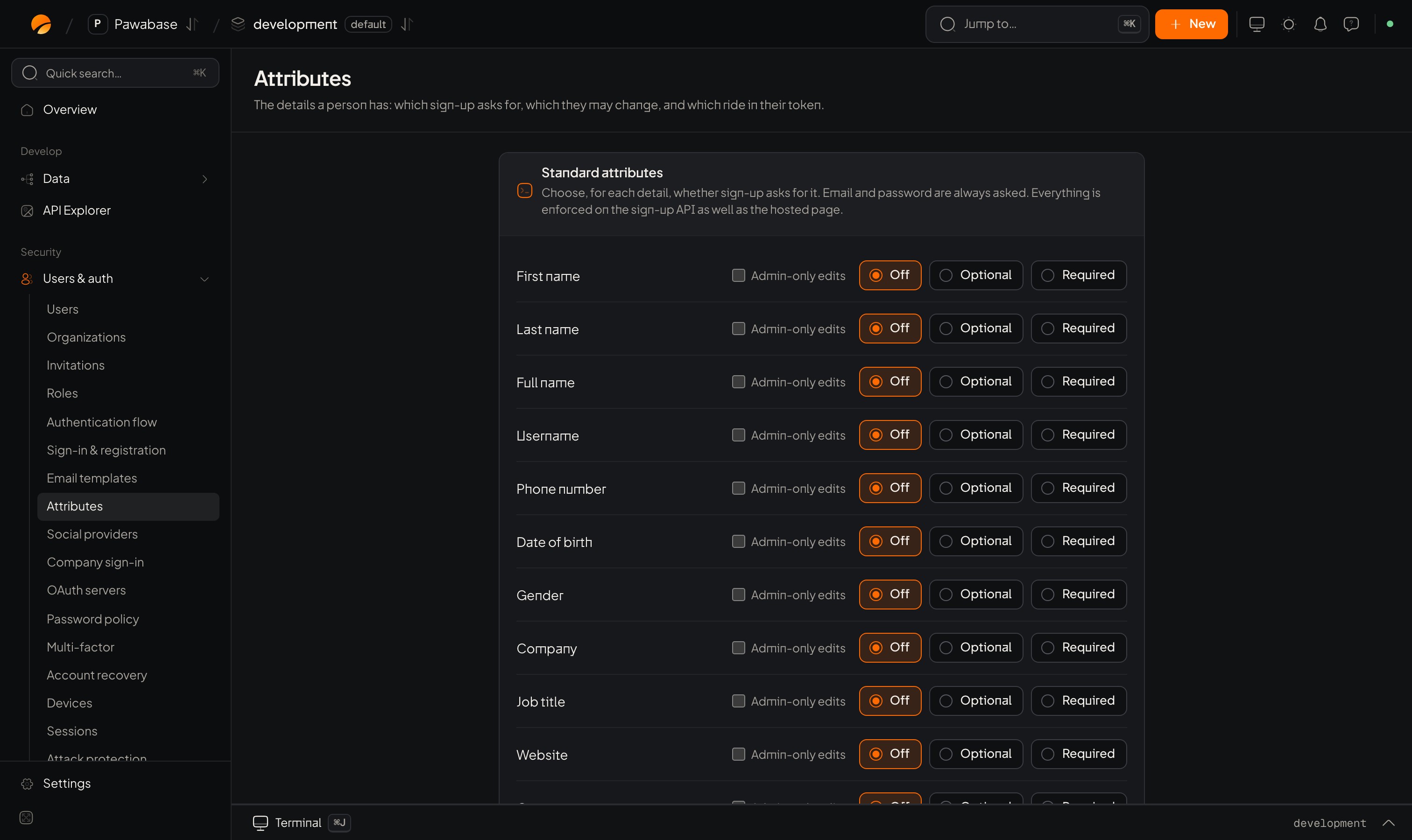
Users & auth → Attributes: each detail is Off, Optional or Required, with an Admin-only edits box.
In Studio
Two pages work together:- Sign-in & registration → Sign in with and Registration (identifiers and form layout).
- Attributes (the details themselves).
Sign in with
Which identifiers a person can type on the sign-in page. Email is always collected, because verification and recovery go there. You can also allow Username and Phone number. A username or phone number you allow for sign-in becomes required at sign-up and must be unique.Standard attributes
For each detail, choose whether sign-up asks for it. Each can be Off, Optional or Required: First name, Last name, Full name, Username, Phone number, Date of birth, Gender, Company, Job title, Website, Country, Address. Email and password are always asked.Custom attributes
Add your own with Add attribute:
Two switches on each attribute:
- Only an administrator can change it once it has a value. Use for things people shouldn’t edit after sign-up, like a plan.
- Include this attribute in the access token. Copies it into the token so access rules and your API can read it without a lookup.
Access token contents
Under Access token contents, Attributes in the token lists which profile attributes are copied into the access token. The mode isall by default.
In your app
Send the values withdata when you sign up. They land in user_metadata:
ValidationError naming the field, so you can show it under the input:
user.user_metadata. Attributes marked admin-only can’t be changed by the person afterwards with updateUser.
Designing the form
- Ask for the minimum. Every extra required field loses people.
- Use Choice instead of free text where you’ll filter or segment later.
- Put long forms across two steps.
- Mark anything that drives permissions or billing as admin-only, and put the value you need in the token.
The user profile
Edit attributes later.
Sign-up restrictions
Control who can join.